Email Etiquette in the Digital Age: Rules That Never Go Out of Style
28 Oct, 2026
9 Views 0 Like(s)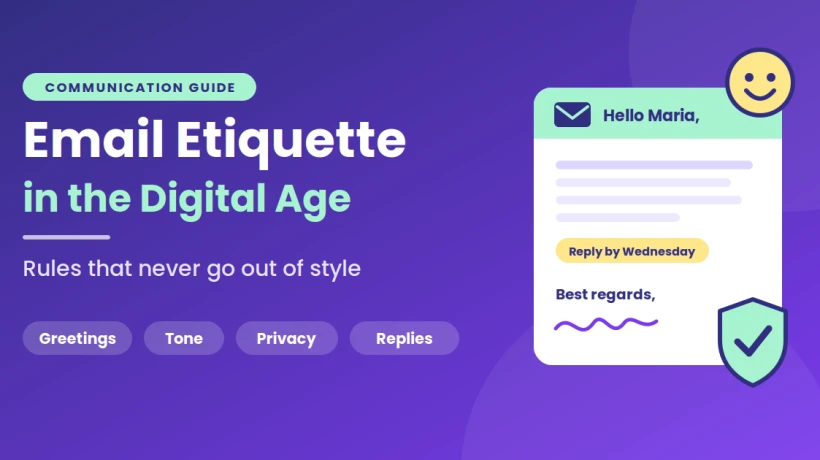
Master email etiquette with clear subject lines, front-loaded messages, smart use of To, Cc and Bcc, thoughtful replies, basic security habits, and a separate backup that keeps important messages safe.
Think about the last email that made you smile. Maybe it was short, clear and polite, and it told you exactly what happened next. Now think about the last one that made you sigh: a wall of text, no greeting, a vague request and a deadline that was somehow already past. Same tool, very different experience.
Email etiquette isn’t about stiff formality or memorizing rules. It’s about respecting the other person’s time and attention. Tools and trends change quickly, but these habits keep working. Here is a practical guide to writing, sending and managing email in a way people will appreciate.
Why Email Manners Still Matter
Email lacks the cues of face-to-face conversation. There’s no tone of voice, no facial expression and no chance to clarify mid-sentence. All the reader has is your words, so small choices carry extra weight.
A friendly greeting, a clear request and a polite close can turn a routine message into a good impression. Careless writing does the opposite, even when you don’t intend it. Good etiquette removes misunderstandings before they start.
Start Strong: Greetings and Subject Lines
The first few words your reader sees set the tone for everything that follows.
Write a Subject Line That Helps
A good subject line tells the reader what the message is about and whether they need to act. Compare “Hi” with “Reminder: RSVP for Saturday’s picnic by Thursday.” The second is useful before the message is even opened, and it’s easy to find later.
Greet People Properly
Open with a simple greeting, such as “Hello Maria” or “Hi everyone.” Match your level of formality to the relationship. A note to a close friend can be casual, while a first message to someone you’ve never met deserves a little more polish. If you’re unsure, lean slightly more formal. It’s easy to relax later, but harder to recover from sounding abrupt.
Get the Name Right
Double-check spelling before you send. Getting someone’s name wrong is a small mistake that feels surprisingly big to the person on the receiving end.
Write With Your Reader in Mind
Most people read email in short bursts, often on a phone. Respect that by making your message easy to absorb.
Lead With the Point
Put your main request or news in the first sentence or two. Background comes after. If your reader stops after the opening, they should still know what you need.
Keep It Short, Then Shorter
Long paragraphs are hard to read on a small screen. Break text into short chunks, and cut anything that doesn’t serve the message. Bullet points or numbered lists help when you have several items to cover.
Be Specific About Deadlines
“Please reply soon” leaves too much to interpretation. “Please reply by Wednesday at noon” is clear and kind, because the reader knows exactly what’s expected.
Mind Your Tone
Without a voice to carry warmth, short replies can sound cold. A quick “thanks” or “I appreciate your help” costs nothing and softens the message. Be careful with sarcasm and humor, which often fall flat in writing. And avoid writing in all capital letters, which reads as shouting.
Choose the Right Recipients
Few email habits affect other people as much as how you handle the address fields.
To, Cc and Bcc, Explained Simply
Use To for the people who need to act or respond. Use Cc for people who simply need to stay informed. Use Bcc when writing to a large group who don’t know one another, so their addresses stay private. Exposing a long list of addresses is a privacy slip that many people find uncomfortable.
Think Before You Reply All
Ask yourself whether everyone on the thread truly needs your answer. If only one person does, reply to them alone. Nobody wants fifty “Thanks!” messages filling their inbox.
Save Time With Reusable Lists
If you regularly write to the same people, such as relatives, a hobby club or a neighborhood group, typing each address every time is slow and error-prone. Learning How to create a group in Gmail lets you save those contacts under one clear name and reach everyone by typing a single label. It’s a small courtesy to yourself and your recipients, since it reduces the chance of leaving someone out or sending to the wrong person.
Respond Thoughtfully and Promptly
Etiquette doesn’t end when you hit send. How and when you reply matters just as much.
Acknowledge Messages
You don’t need to answer everything instantly, but a brief acknowledgment helps. “Got it, I’ll get back to you on Friday” reassures the sender and buys you time.
Reply in Reasonable Time
A good rule of thumb is to respond within one or two working days. If you need longer, say so. If you’ll be away, set an out-of-office message that states your return date and, where relevant, an alternate contact.
Answer Every Question
Skimming and replying to only the first question is frustrating for the sender. Read the whole message before responding, and answer each point. Numbering your replies can help when the original had several questions.
Pause Before Replying in Frustration
When a message annoys you, wait before responding. Draft your reply, step away and reread it from the other person’s point of view. A calm answer protects the relationship, while an angry one can’t be unsent.
Attachments and Links
Small details here can save everyone trouble.
-
Name files clearly: “Budget_Draft_March.xlsx” beats “Document1.”
-
Mention the attachment in the message: Tell the reader what it is and why it matters.
-
Keep sizes reasonable: Large files can bounce or clog inboxes, so use a shared link when needed.
-
Check before sending: Confirm the right file is attached and that nothing confidential slipped in.
When sharing links, add a short description of where the link goes. Unexplained links look suspicious, and careful readers will hesitate to click.
Protect Yourself and Others
Good etiquette includes good security. Scammers often impersonate trusted people, so a little caution protects everyone.
-
Turn on two-step verification for your account.
-
Be wary of urgent requests for money, passwords or personal information.
-
Check the sender’s real address, not just the display name.
-
Avoid forwarding chain messages or unverified claims.
If something feels off, confirm it through another channel before acting.
Keep a Safety Net for Your Messages
One courtesy people rarely consider is making sure important messages don’t vanish. Email feels permanent, but accounts can be hacked, locked or suspended, and a deleted folder can erase years of conversation. Receipts, official confirmations, travel plans and personal notes all live in your inbox.
An independent copy gives you a fallback that doesn’t depend on a single login. A solution such as the SysTools Gmail Email Backup Tool can save your emails and related account data offline, so your important information stays accessible even if something goes wrong with the original account. A few simple practices make any backup more useful:
-
Schedule it: Regular backups beat occasional good intentions.
-
Include extras: Attachments, contacts and calendars matter too.
-
Test it: Open a few saved items to confirm they work.
-
Store it separately: Keep a copy somewhere other than your main device.
End on a Good Note
The closing of your email leaves the final impression, so make it count.
-
Close with a clear next step: “Let me know by Friday” or “I’ll send the draft on Monday.”
-
Add a polite sign-off: “Best regards,” “Thanks,” or “Warmly” all work, depending on the situation.
-
Include your name: Even when the sender field shows it, a typed name feels personal.
-
Proofread once: A quick read-through catches typos, missing words and awkward phrasing.
A Quick Pre-Send Checklist
Before you press send, take ten seconds to ask yourself:
-
Does the subject line describe the message?
-
Is the main point clear in the first two sentences?
-
Are the right people in the right fields?
-
Is the attachment included, and is it the correct file?
-
Would I be comfortable if this message were forwarded?
Final Thoughts
Email etiquette comes down to a simple idea: treat the reader the way you’d like to be treated. Write clear subject lines, lead with the point, use the address fields thoughtfully, respond with care, protect people’s privacy and keep a separate copy of the messages that matter.
You don’t need to change everything at once. Choose one habit, such as writing sharper subject lines or pausing before you reply, and practice it for a week. Small courtesies add up, and soon your emails will be the ones people are glad to receive.
Comments
Login to Comment