Who's Listening to Your Calls and Reading Your Messages? These Are the Signs of Phone Hacking
14 May, 2026
1742 Views 0 Like(s)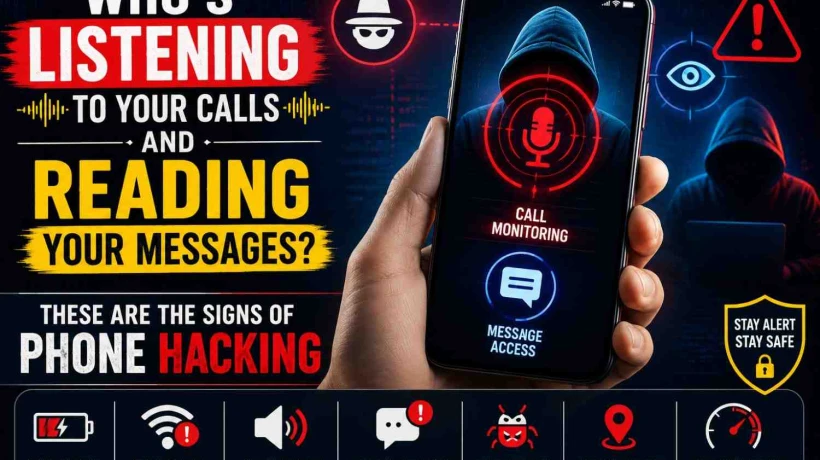
Who's Listening to Your Calls and Reading Your Messages? These Are the Signs of Phone Hacking
Smartphones have become an essential part of daily life. From personal conversations and banking details to photos and social media accounts, our phones store a huge amount of private information. But as technology advances, cybercriminals are also finding new ways to target users. Many people do not realize their phone may already be hacked until serious damage has been done. Suspicious activities like unknown apps, strange messages, or rapid battery drain can sometimes indicate that someone is secretly accessing your device.
Phone hacking occurs when an unauthorized person gains access to your smartphone to monitor activities, steal information, or control certain functions remotely. Hackers may try to read messages, listen to calls, access passwords, or even track your location. Experts say both Android and iPhone users can become targets if proper security measures are not followed.
One of the most common signs of phone hacking is unusual battery drain. If your phone’s battery suddenly starts running out much faster than normal, even without heavy usage, it may indicate malicious software running in the background. Spyware apps often stay active continuously, secretly recording information and transmitting data to hackers. This extra activity consumes battery power rapidly.
Another warning sign is overheating. Smartphones naturally become warm during gaming, charging, or heavy usage, but if your device feels hot even when idle, hidden applications may be operating in the background. Cybersecurity experts explain that spyware and tracking software can overwork your processor and create unusual heat.
Unexpected data usage can also signal hacking. Many spying applications constantly send stolen information to external servers. This process uses mobile data or Wi-Fi without the user realizing it. If your monthly data usage suddenly increases despite normal browsing habits, it may be worth checking for suspicious apps or malware.
People should also pay attention to strange noises during calls. Hearing echoes, clicking sounds, static interference, or unusual beeps repeatedly during conversations may sometimes suggest call monitoring. Although network issues can occasionally cause similar sounds, frequent disturbances combined with other suspicious signs could indicate unauthorized surveillance.
Receiving unusual text messages is another possible indicator. Some malware spreads through suspicious links sent via SMS, WhatsApp, or email. Hackers may also send hidden commands to infected devices using coded messages. If you receive strange texts containing random symbols, unknown links, or unexpected verification codes, it is important not to click them.
Apps behaving abnormally can also be a major warning sign. If applications crash frequently, open slowly, or close automatically, malware may be interfering with the phone’s operations. In some cases, users may notice unfamiliar apps installed on their device without permission. Experts advise checking the app list regularly and removing anything suspicious immediately.
One dangerous sign of hacking is unauthorized account activity. If your friends report receiving strange messages from your social media accounts, or if you notice password reset emails you did not request, hackers may already have access to your information. Cybercriminals often use compromised devices to steal login credentials and spread scams to contacts.
Pop-up advertisements appearing excessively can also indicate malware infection. Some malicious apps flood phones with ads to generate illegal revenue for hackers. If pop-ups appear even when no browser is open, your phone may contain adware or spyware.
A hacked phone may also become slower than usual. Malware consumes processing power and memory, causing lagging performance, frozen screens, and delayed responses. If your phone suddenly becomes extremely slow despite having enough storage space, hidden software may be responsible.
Experts recommend several steps to protect smartphones from hackers. The first step is keeping the operating system and apps updated regularly. Security updates fix vulnerabilities that hackers often exploit. Installing apps only from trusted sources like the Google Play Store or Apple App Store also reduces risk significantly.
Using strong passwords and enabling two-factor authentication can provide additional protection. Avoid connecting to unsecured public Wi-Fi networks, especially while accessing banking or personal accounts. Public networks are common targets for cybercriminals who attempt to intercept user data.
Users should also avoid clicking unknown links or downloading attachments from suspicious messages. Many hacking attempts begin through phishing scams that trick users into installing malware unknowingly. Even a single careless click can compromise sensitive information.
Installing reliable antivirus or mobile security software can help detect and remove threats before they cause serious harm. Regularly reviewing app permissions is equally important. Some apps request unnecessary access to microphones, cameras, contacts, or messages, which may create privacy risks.
If you strongly suspect your phone has been hacked, experts recommend disconnecting from the internet, deleting suspicious apps, changing passwords immediately, and performing a factory reset if necessary. In severe cases involving financial fraud or identity theft, contacting cybersecurity professionals or local authorities may be required.
In today’s digital world, smartphone security is more important than ever. Recognizing the warning signs of phone hacking early can help protect your privacy, finances, and personal data. Staying alert, practicing safe browsing habits, and following basic cybersecurity measures can significantly reduce the risk of becoming a victim of phone hackers.



Comments
Login to Comment