Complete Guide: Convert WeChat Audio to MP3 Easily
17 Jan, 2026
8356 Views 2 Like(s)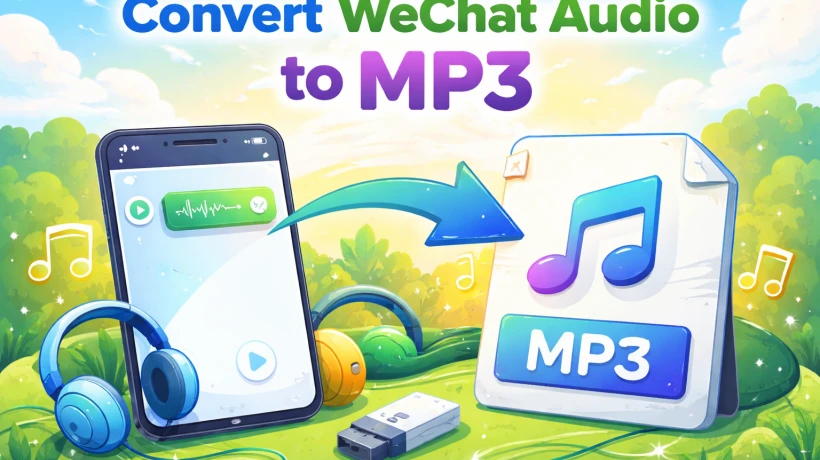
Learn how to easily convert WeChat audio messages to MP3 files. Follow our step-by-step guide to save and play your voice notes on any device.
Nowadays, no one can imagine a world without messaging apps, where you just connect through online text messages, sending videos or pictures, or even sending voice notes to your friends and family. There are so many messaging apps people use to communicate, and one such app is WeChat. Most people are happy with the feature that includes voice messages, where there is no need to type a message. But unfortunately, WeChat doesn’t support or is compatible with all media players or devices. That is why one needs to convert WeChat to MP3, as it is a widely supported audio format. So, converting will let you play, share, or store them easily. In this article, we will make you understand the reason to convert, simple methods to convert, and mistakes to avoid. Alternatively, if you need to convert audio to F4A format, follow this complete article.
Understanding WeChat Audio and MP3 Formats
From sending texts to making instant voice messages, WeChat has been upgraded in a user- friendly way. People prefer using the WeChat voice messages rather than texting or typing nowadays. WeChat voice messages work perfectly within the apps because of formats like AMR or CAF. But unfortunately, other apps or devices don’t always support the WeChat voice messages. So, for voice messages to work on every device, one must convert WeChat to MP3, which will offer better sound quality and can be accessed anywhere. Many users favor the MP3 format as it supports every audio format, which gives a user good sound quality with a small file size.
Reasons to Convert WeChat Audio to MP3
WeChat voice notes work flawlessly within the app, but unfortunately, many media players or devices don't support them outside WeChat. This really makes a person clueless and helpless. So, to solve this problem, one can simply convert WeChat to MP3, which will help the user to use it on any device without losing the sound quality, and one can even save their important voice messages for future use. There are so many reasons for conversion, some of which are listed below:
-
Whether you’re using your phone, computer, or media players, MP3 works almost everywhere.
-
One can easily share through email, WhatsApp, or even cloud storage
-
You have access to play offline without needing the WeChat app
-
Here, a person can simply store or organize on their device
-
With a minimal file size, the MP3 helps to maintain good sound quality
Different Methods to Convert MBOX to MSG
After understanding the need for conversion, it is also important to see multiple ways to convert WeChat to MSG. So, it all depends on one’s need and requirement. Here, a user can either choose their mobile app or an automated tool. Every method has its own benefits that will allow users to safely save their audio files or play them on any device with ease.
#1. Using Software to Automatically Convert
Everyone wants a safer and quicker solution to convert WeChat to MP3. For that, one can easily use a beginner-friendly automated converter tool like the SysTools Audio Converter Software. This tool is so helpful that it can easily convert multiple voice messages at once, making the process go smoothly and efficiently.
-
Begin by downloading and installing a trusted WeChat audio to MP3 converter on your computer.
-
Then, open the software and import the WeChat audio files you want to convert.
-
Select MP3 as the output format.
-
After that, choose a destination folder where the converted files will be saved.
-
Then, tap on the convert button and wait for the process to complete.
-
Once done, you can now access your MP3 files and play them on any device.
#2. Convert Audio Straight from Your Phone
When a user doesn’t want to use a computer, they still have the facility to convert WeChat to MP3 by simply using their mobile phone. Just by using the right mobile app, the user can turn their voice notes into mp3 files and can even play them on any device.
-
Begin by installing a trusted audio converter app from the app store.
-
Then, open the app and give access to your WeChat audio files.
-
After that, select the voice messages you want to convert.
-
Choose MP3 as the output format.
-
Tap to convert and wait for the process to finish.
-
Finally, you have access to your MP3 files directly on your phone
Mistakes You Should Avoid
Though turning WeChat into MP3 is a simple procedure, a person can casually make a mistake that can lead to data loss or compromise the quality of the files. That is why when a person must convert WeChat to MP3, they must be extra careful to avoid such errors. Taking precautions can actually help the user have a smoother conversion.
-
When a user uses low-quality or untrusted conversion tools
-
Not checking the audio quality after conversion
-
Forgetting to choose MP3 as the export format
-
Ignoring where the files are saved makes them difficult to locate
-
Without backing them up, converting too many files at once
End Note
Let’s conclude by saying that changing WeChat voice notes to MP3 makes your voice messages flexible and easy to use on any device. To simply convert WeChat to MP3, a user can choose any method according to their needs or requirements that benefits them the most. Here, try to make fewer mistakes for a smoother and more successful conversion to avoid any kind of data loss or risk of low-quality sound.

Comments
Login to Comment