A Deep Dive into Managing Outlook Files: A Review of the WholeClear MSG Attachment Extractor
09 Jun, 2026
1403 Views 0 Like(s)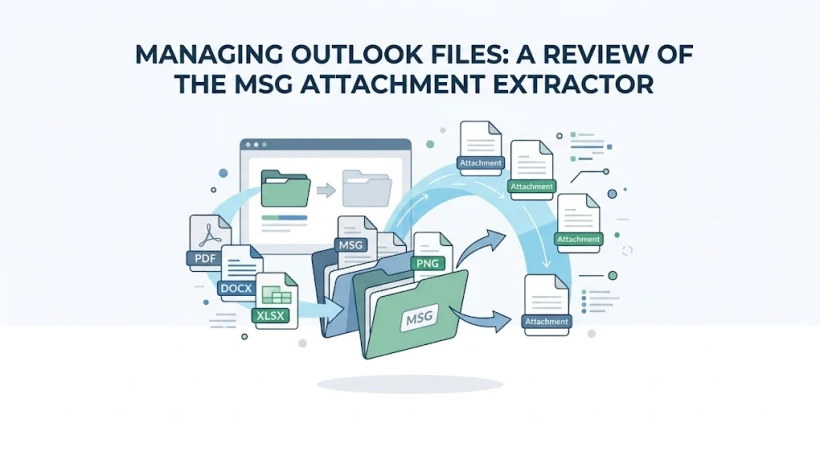
The tool efficiently batch-extracts attachments from independent MSG files without requiring Outlook, preserving metadata and saving hours of manual labor during audits or archive cleanups.
The Problem with Isolated Email Archives
Everyone has a chaotic inbox. The struggle is worse when you’re dealing with standalone Outlook MSG files, typically archived for a particular project or a single saved email. To locate the critical PDF invoices, images or legal contracts, you have to go through these files one by one, which is extremely tedious.
Dedicated utilities are designed to ease this process by allowing you to extract files en-masse. In this review, we will take a close look at the performance of the WholeClear MSG Attachment Extractor, examining its key features, how it can be used, and its overall value.
Why We Need to Extract MSG Attachments?
For a lot of professionals, email archives become an inadvertent repository for items they’ve saved. unlike live inboxes managed inside an email client.msg files are stored statically in local storage folders. Embedding attachments in these individual files creates a few operational hurdles:
• Storage Waste: Attachments are the largest contributors to the file size of an email archive. This allows you to compress or delete original messages and save valuable disk space by extracting them and saving them in regular folders on your local machine.
• Search and Accessibility: To locate a specific document in a standalone MSG file, you have to first open the email. When you extract files, they are instantly searchable by name, type or date through your regular operating system file explorer.
• System vulnerability: Large, bloated data stores are more prone to file corruption. Reducing the historical text payload of your archived messages reduces the risk of losing access to it.
• Data Portability: If you need to send your project blueprints or financial spreadsheets to a colleague, it’s much easier to send them an entire batch than to send dozens of individual email files.
Real-Life Scenario: The Audit of Compliance
Imagine a third-party accounting firm preparing for a surprise compliance audit. Clients have been sending tax documents as individual .msg files for the last three years, creating thousands of unorganized files spread across multiple project folders.
The audit requires the firm to submit all signed PDF authorization forms within 48 hours. Opening every single email, clicking save as on the attachment and sorting them manually would take days of round the clock mindless work.
If you use a specialized extraction tool, it’s a whole different ball game. By pointing the utility to the root folder of the client files, the firm is able to automatically extract every single PDF attachment and save those out to a centralized directory in minutes, easily meeting the audit deadline without wearing the team out.
Functionality Performance and Main Features
This software has only one purpose, and that is to locate MSG files and safely extract attachments from them. The utility does the task this way:
1. Intelligence of Batch Processing
Instead of making you process files one at a time, the interface lets you upload whole folders at a time. The internal scanning engine reads the underlying structure of the directory, identifies the valid files and prepares them for extraction in one single pass.
2. Internal Metadata Maintenance
One big problem with data extraction is that the data can be altered. This utility extracts the attachments while preserving the original email structure, formatting and internal metadata. The original files are left untouched in their original directories.
3. Outlook’s Independence
Many data management tools need a fully configured Microsoft Outlook profile to work. this utility works completely on its own. It reads and extracts data from raw files even if the workstation does not have Outlook installed. This is very useful for quick data recoveries on secondary machines.
4. Usability and Accessibility
The design is based on a straightforward wizard-driven workflow. The learning curve is virtually non-existent because there are no deeply nested settings or overly complex technical configurations. Select the source files, choose a destination folder and let the software do its thing.
Performance Evaluation & Rating
To give you a better idea of how the utility performs in the real world, we broke down its performance into four key areas:
Evaluation Criteria Score Key Takeaway
Processing Speed 4.5 / 5.0 – Handles dense batches fast without bogging down system memory.
Data Quality 4.8 / 5.0 – Files retain their exact extension, name and internal formatting.
Interface Design 4.2 / 5.0 – Simple and very functional, but a little old-fashioned in appearance but easy to understand.
Value for Money 4.4 / 5.0 – tremendous time savings on manual labor for high volume operations.
OVERALL PERFORMANCE – 4.5 / 5.0
Licensing and Pricing
It is a one-time purchase utility that has been designed with three different pricing levels to suit different usage needs. There is also a free demo version which allows you to extract a limited number of attachments per folder to test the speed and compatibility before buying.
• Personal License ($29) – Intended for the individual or home users. This tier is for single system deployment and is a cost effective solution for small scale personal archiving projects.
• Professional License ($99): For use in commercial environments and for administrative use. You get a lifetime license for a single workstation, perfect for individual companies and office managers who need to stay compliant.
• Technician License ($299): Designed for corporate environments, IT service providers and maintenance companies. This level offers a lifetime license and support for unlimited systems within an organization.
Conclusion
WholeClear MSG Attachment Extractor (Data Extraction Tool) a sensible, reliable utility that solves a particular data management problem. It eliminates the drudgery of manually searching through archived emails and is a great option for businesses with heavy documentation, legal reviews or compliance migrations. If you want a simple, stable tool to clean up cluttered archives and organize your files, this is just that.



Comments
Login to Comment