Twitter Bio Fonts to Make Your Profile Stand Out
24 Jul, 2026
909 Views 0 Like(s)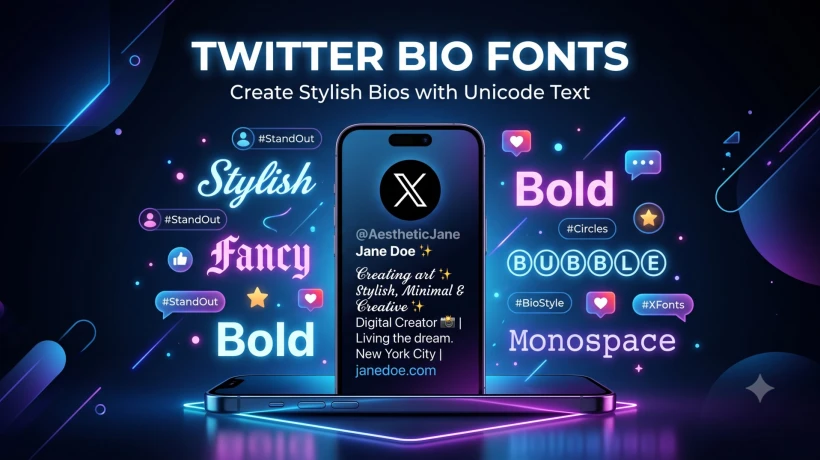
Want your X (Twitter) profile to grab attention instantly? Stylish Twitter bio fonts help you create a unique identity using Unicode text that works across most devices. Learn how to choose readable fonts and create an eye-catching bio in seconds.
Your Twitter (now known as X) bio is one of the first things visitors notice when they land on your profile. In just a few words, it tells people who you are, what you do, and why they should follow you. While writing a compelling bio is important, using stylish Unicode fonts can make it even more eye-catching. Unique text styles help your profile stand out in a sea of plain text, giving your account a creative and memorable appearance.
Whether you're a content creator, gamer, entrepreneur, student, influencer, or business owner, adding stylish fonts to your bio can help express your personality. A well-designed bio creates a strong first impression and encourages visitors to engage with your content or follow your account. Since first impressions matter on social media, even a small visual upgrade can make a noticeable difference.
The easiest way to create stylish text is by using a best fonts for Twitter bio generator. These online tools convert standard letters into Unicode characters that look like fancy fonts. Because they use Unicode symbols rather than actual font files, the text can usually be copied and pasted directly into your Twitter bio without installing any apps or software. This makes the process quick, simple, and accessible on both desktop and mobile devices.
Here are a few popular Unicode font styles you can use:
- 𝓒𝓾𝓻𝓼𝓲𝓿𝓮
- 𝕭𝖔𝖑𝖉 𝕲𝖔𝖙𝖍𝖎𝖈
- 🄱🅄🄱🄱🄻🄴
- 𝕄𝕠𝕟𝕠𝕤𝕡𝕒𝕔𝕖
- 𝗕𝗼𝗹𝗱 𝗦𝗮𝗻𝘀
Each font style creates a different impression. Cursive fonts give your bio a classy and elegant look, while Gothic fonts add a bold and dramatic touch. Bubble fonts are playful and fun, making them ideal for casual or entertainment-focused profiles. Monospace fonts offer a clean, technical appearance, whereas bold sans-serif fonts improve readability while still looking modern.
Although decorative fonts are visually appealing, it's important to use them wisely. Overloading your bio with multiple font styles or excessive symbols can make it difficult to read. Instead, use one or two complementary styles to highlight your name, profession, or favorite quote. Pairing stylish fonts with relevant emojis and a concise description creates a professional and balanced profile that is easy to understand.
If you're looking for an effortless way to upgrade your profile, try the best fonts for Twitter bio tool from FontifyText. It instantly transforms plain text into hundreds of attractive Unicode styles that you can copy and paste directly into your Twitter bio, display name, tweets, or profile description. The tool is free to use, works in most modern browsers, and doesn't require any downloads or registration.
Stylish Unicode fonts are also useful beyond your Twitter bio. You can use them for tweet captions, profile names, hashtags, promotional posts, and even other social media platforms like Instagram, Discord, TikTok, Facebook, and Threads. Maintaining a consistent text style across platforms helps strengthen your personal or business brand and makes your online presence more recognizable.
In the end, the best Twitter bio is one that combines creativity with readability. Choose a font style that matches your personality, keep your message short and meaningful, and avoid cluttering your bio with too many decorative elements. With the right combination of stylish Unicode fonts and engaging content, you can create a profile that captures attention, reflects your identity, and leaves a lasting first impression on everyone who visits your page.



Comments
Login to Comment