Streamlining Digital Evidence Collection for Microsoft 365 Investigations
31 Oct, 2026
14 Views 0 Like(s)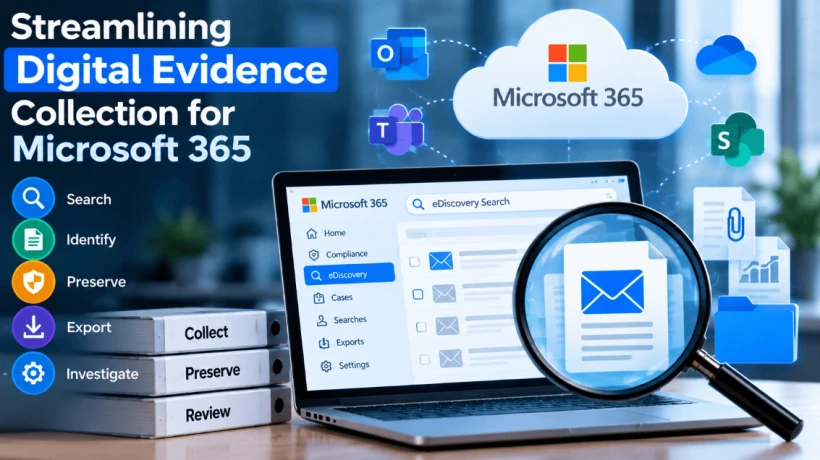
Discover how to collect, search, preserve, and export digital evidence in Microsoft 365. Explore eDiscovery techniques and email forensic tools for investigations.
Digital communication has become an essential part of modern business operations. Employees exchange emails, share attachments, collaborate on documents, and communicate through cloud-based platforms every day. While these activities improve productivity, they also generate large amounts of electronic information that may become important during legal disputes, compliance reviews, or corporate investigations.
Finding specific records within this information can be challenging, particularly when an organization manages multiple mailboxes and cloud storage locations. Investigators need a reliable process for identifying relevant information, reviewing search results, preserving records, and preparing evidence for further examination.
Microsoft 365 provides discovery capabilities that can support these activities. By combining appropriate search techniques with careful evidence management, organizations can make electronic investigations more organized and efficient.
Why Digital Evidence Collection Matters
Digital evidence can help investigators understand communication patterns, examine business decisions, and establish the context surrounding a particular event. Email conversations may contain important statements, while attachments and related documents can provide additional information.
During an investigation, the relevant evidence may be distributed across several Microsoft 365 services. Depending on the case, investigators may need to examine Exchange Online mailboxes, SharePoint documents, Microsoft Teams communications, or other supported data sources.
Collecting this information without a defined strategy can lead to unnecessary work. Investigators may retrieve excessive unrelated records, overlook important messages, or struggle to organize the collected data for review.
A structured approach helps establish clear collection objectives and makes it easier to document how the information was identified.
Understanding the Relationship Between eDiscovery and Digital Forensics
Electronic discovery, commonly called eDiscovery, focuses on locating, collecting, and preparing electronically stored information for legal, regulatory, or other authorized purposes. Digital forensics can involve a more detailed examination of available electronic records and their technical characteristics.
Although these disciplines overlap, their requirements may differ. A legal investigation might prioritize collecting relevant emails and documents, while a forensic examination may require closer inspection of message metadata, deleted artifacts, or communication details.
Understanding the objective of the investigation helps determine which features and tools are appropriate. Microsoft 365 discovery capabilities may be sufficient for some collection tasks, while more complex cases may benefit from additional forensic examination.
Preparing Microsoft 365 for Evidence Collection
Before beginning an investigation, organizations should confirm that the required discovery features are available in their Microsoft 365 environment. Licensing, administrative configuration, and assigned permissions can affect which operations are supported.
Investigators should establish the scope of the case and identify the information they need to locate. This may include specific users, relevant dates, email addresses, keywords, subject lines, or document locations.
Documenting the scope in advance helps investigators develop focused searches and reduces the risk of collecting information that does not relate to the investigation.
Reviewing Access Permissions
Authorized personnel must have the necessary permissions to perform their assigned discovery activities. Depending on the workflow, this may include creating cases, running searches, reviewing records, and exporting results.
Administrators should verify the relevant roles before work begins. Access should be limited to personnel who need it, helping protect confidential information and maintain accountability.
If permissions have recently been changed, investigators should confirm that the updates have taken effect before proceeding.
Organizing Investigation Cases
Where case management is available, creating a dedicated case helps organize related investigation activities. The case should have a clear name and description, with access assigned to the appropriate team members.
Investigators should maintain notes about the case objectives, selected data sources, search criteria, and relevant collection decisions. This documentation supports consistency and allows authorized reviewers to understand the steps taken during the investigation.
Developing More Effective Search Strategies
Search criteria play a central role in identifying relevant electronic records. Investigators can begin with information already known about the case, such as the identities of participants, approximate communication dates, distinctive phrases, or email subject terms.
A broad search may return a large number of unrelated messages. Additional filters can help narrow the results, while overly restrictive criteria may exclude relevant information. For this reason, search queries should be tested and refined before investigators rely on the resulting collection.
Where supported by the selected interface, Boolean operators can combine terms or exclude unwanted matches. Search behavior and available operators may differ between tools, so investigators should follow the syntax and capabilities of their particular environment.
For cases involving extensive email collections, Email Forensics Software may provide additional capabilities for examining available email data. Depending on the software and evidence format, investigators may be able to use advanced search methods, inspect message metadata, and review deleted email artifacts that remain present in the collected evidence.
The objective is not simply to generate search results, but to identify information that is relevant to the investigation and suitable for further review.
Reviewing Search Results and Identifying Relevant Records
Once a search has completed, investigators should examine the results to determine whether they address the original investigation scope.
Email messages should be considered in context. Sender and recipient details, timestamps, attachments, subject lines, and related conversations may help explain the significance of an individual record. Reviewing connected messages can also reveal information that would otherwise be missed.
Investigators should avoid assuming that every matching message is relevant or that every relevant message has necessarily been identified. Search results require appropriate validation, and additional searches may be needed when the initial collection is incomplete.
Keeping a record of the criteria used and the decisions made during review improves the transparency of the investigation process.
Preserving Electronic Information
Preservation is an important consideration when records may be needed for legal proceedings, regulatory review, or internal investigations. Organizations should determine whether relevant information needs protection from routine deletion or modification.
Where applicable, authorized personnel can evaluate Microsoft 365 retention policies and legal hold capabilities. The selected measures should cover the required data sources and comply with the organization's obligations.
Investigators should document preservation steps and maintain appropriate records of how evidence is collected and handled. Collected information should be stored securely, with access limited to authorized personnel.
These procedures help organizations maintain control over the information throughout the investigation. The exact preservation approach should be determined according to the circumstances of the case and the applicable requirements.
Exporting Evidence for Further Analysis
After relevant information has been identified, investigators may need to export the results for legal review, technical examination, or secure storage.
PST files are commonly associated with email export workflows. Depending on the requirements, other formats may be suitable for documents, metadata, or specialized review platforms. Available export options depend on the discovery features and configuration being used.
Before completing an export, investigators should verify the selected content and examine any available export summaries. The resulting files should be checked against the original collection scope, and any identified limitations should be documented.
Exported information should be transferred and stored securely. Organizations should also maintain records of the collection process so that authorized reviewers can understand how the information was obtained.
Common Challenges in Cloud-Based Investigations
Electronic evidence collection can become difficult when data volumes are large or the investigation scope is unclear. Broad keywords may generate excessive results, while incomplete search criteria can leave relevant records undiscovered.
Other challenges may include permission restrictions, indexing limitations, export constraints, and differences in available Microsoft 365 features. Investigators must understand these limitations when planning and evaluating their searches.
A consistent workflow can reduce avoidable problems. Organizations should define the scope, test queries, validate results, document collection activities, and coordinate with IT administrators when technical issues arise.
Training also helps investigators understand how to use available discovery tools and recognize when additional examination may be necessary.
Choosing the Right Approach for Complex Investigations
The most appropriate investigation method depends on the type of evidence required and the questions that need to be answered. Routine discovery requests may be handled using built-in Microsoft 365 capabilities, while complex cases may require additional search functionality or deeper technical analysis.
An effective eDiscovery Search in Office 365 workflow should support the investigation's objectives, from identifying potentially relevant records to preparing information for further examination.
Before selecting a supplementary tool, organizations should evaluate its supported evidence formats, search features, export capabilities, and compatibility with their collection procedures. Tool selection should be based on documented requirements rather than assumptions about functionality.
Cooperation between legal, compliance, IT, and forensic teams can further improve the process by ensuring that collection activities remain coordinated and properly documented.
Conclusion
Managing digital evidence in Microsoft 365 requires a combination of careful planning, effective searching, appropriate permissions, and secure evidence handling. Investigators must review records in context, preserve relevant information when necessary, and verify exported results before relying on them.
By adopting a consistent workflow and understanding the capabilities and limitations of available discovery tools, organizations can improve the efficiency of electronic investigations. When additional technical analysis is required, specialized forensic solutions may complement built-in Microsoft 365 features and support a more detailed examination of available digital evidence.



Comments
Login to Comment