How to Convert IBM Notes NSF Files to Outlook PST Format
29 Jun, 2026
1168 Views 0 Like(s)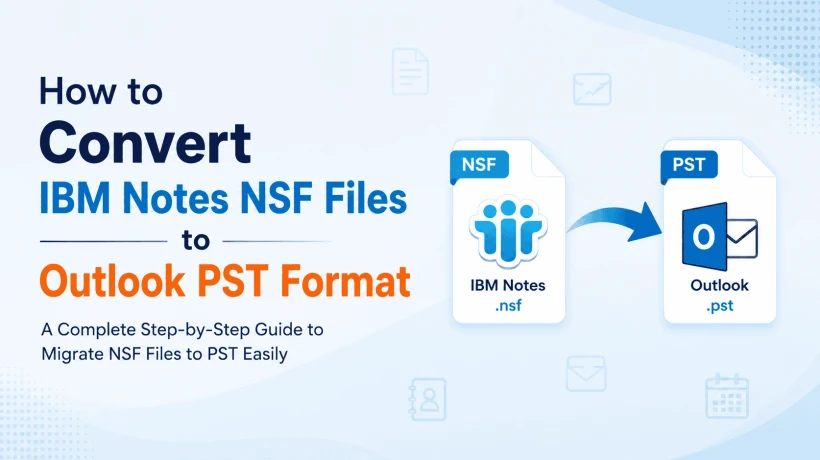
This guide will teach you the various ways to convert NSF to PST, explain the pros and cons of each, and show you how the professional conversion tools make the whole migration process easy for you.
Introduction
There are many reasons for migrating from IBM Notes to Microsoft Outlook, but the main ones are a more familiar interface, better integration with Microsoft 365, and enhanced collaboration features. One of the challenges users usually face during this transition is that IBM Notes stores mailbox data in NSF (Notes Storage Facility) format, whereas Outlook uses PST (Personal Storage Table) format.
Outlook is unable to directly open NSF files, so it becomes necessary for users to find a trusted method that can convert IBM Notes NSF files to PST format without losing any email, contacts, calendars, attachments and other mailbox items.
This guide will teach you the various ways to convert NSF to PST, explain the pros and cons of each, and show you how the professional conversion tools make the whole migration process easy for you.
Convert IBM Notes NSF Files to Outlook PST
Yes, you can convert IBM Notes NSF files to Outlook PST format.
However, there is one major limitation, which is Outlook doesn’t have a built-in way to import NSF files directly. Also, there is no option to export mailbox data in PST format directly from IBM Notes.
There are generally two ways to end the conversion:
- Use the manual export method (CSV) for a limited amount of mailbox data.
- Migrate complete mailbox data with original folder structure using professional NSF to PST converter.
If your mailbox has email, contacts, calendars, journals, tasks and attachments, then a professional solution is usually the safest and most effective route to take.
What is the Reason for Users Migrating IBM Notes NSF to Outlook PST?
There are several practical reasons why users need to convert NSF files to PST format.
1. Migrating from IBM Notes to Microsoft Outlook
Many companies switch to Outlook because it syncs seamlessly with Microsoft 365, Exchange Server, and Teams.
2. Simplified Email Management
Outlook has an easy-to-use interface that makes it much easier to organize, search and manage emails.
3. Migration Projects for Enterprises
When companies upgrade their communications systems, they often move hundreds or thousands of IBM Notes mailboxes to Outlook.
4. Long-Term Backup
PST files are a convenient way to export important mailbox data and store it for future use.
5. How to Access Old IBM Notes Data
Outlook users who do not have the IBM Notes installed anymore can still open archived NSF files.
6. Centralized E-mail Management
Companies standardized on Microsoft products prefer to keep all employee mailboxes in Outlook PST format.
7. Cutting Software Costs
When organizations retire IBM Notes infrastructure, they often convert existing NSF files rather than continue to maintain separate IBM Notes licenses.
How to Convert IBM Notes NSF Files to Outlook PST
The two commonly used approaches are:
Method 1: Manual Method (Using CSV Export)
Ideal For
- Brief contact lists
- Easy mailbox migration
- Users who just need contact info
Step 1: Export Contacts from IBM Domino Server
- Please launch IBM Notes.
- Go to Contacts.
- Choose the contacts you want to export.
- File > Save As.
- Select Comma Separated Value (CSV).
- Export the file and save it.
Step 2: Import CSV to Outlook
- Launch Microsoft Outlook.
- File > Open & Export > Import/Export.
- Click Import from another program or file.
- Choose Comma Separated Values (CSV).
- Navigate to the exported CSV file.
- Complete the import wizard.
Pros
- No extra software required.
Cons
- Exports contacts only.
- Unable to convert e-mails.
- Calendars are not migrated.
- Attachments are not included.
- Folder hierarchy not preserved.
- Takes time for multiple users.
Method 2: Use Professional NSF to PST Converter Tool
Best For
- Full mailbox migration.
- Business user.
- IT administrators.
- High Capacity NSF Files.
- Maintain the full mailbox structure.
Professional DataVare NSF to PST Converter software performs the entire conversion process and copies all mailbox components into Outlook compatible PST files without manual effort.
General Procedures
- Install the NSF to PST Converter Software.
- Start the app.
- Browse and add the .NSF file.
- Preview mailboxes folder.
- Select the folders you want.
- Choose PST for the output format.
- Select destination location.
- Start the conversion.
- Import the generated PST file into Outlook.
It is much faster and reduces the chances of data loss significantly.
Key Features of Professional NSF to PST Converter Software
The best IBM Notes NSF to PST converter generally provides the following features:
- Converts full NSF mailbox data into PST.
- Maintains original folder structure.
- Preserves email formatting and metadata.
- Converts emails with attachments.
- Supports contacts, calendars, journals, tasks and notes.
- Supports large NSF files with no corruption.
- Batch convert multiple NSF files.
- Preview mailbox items before converting.
- Choose folder conversion.
- Keeps Unicode characters.
- Works with all major versions of Outlook.
Things to Consider Before Converting NSF File
To make the conversion process as smooth as possible, keep these best practices in mind:
- Make a copy of your original NSF file.
- Ensure the NSF file is not corrupted.
- Before you start the conversion, exit IBM Notes.
- Make sure you have enough storage space for the output PST file.
- If you're converting a number of mailboxes, sort the files out first.
- Convert business-critical data using a trusted tool.
Overview
Users migrating to Microsoft Outlook or Microsoft 365 must convert IBM Notes NSF files to Outlook PST.
You can export contacts using manual methods, but you can’t get the entire mailbox data including emails, attachments, calendars, and folder structures transferred.
If you have a full mailbox, archived email data or are working on a large migration project then a professional NSF to PST converter will be a faster, safer and more reliable solution. It cuts down on the manual work, keeps your mailbox intact and ensures that your data is ready to go in Outlook without any extra hassle.
It depends on your requirements to choose the right method. If you only have a few contacts to migrate, the manual method might be sufficient. If you want to convert the whole mailbox, then professional software is more practical.
Frequently Asked Questions (FAQs)
1. Can we open NSF files in Outlook directly?
No. IBM Notes NSF file format is not supported by Microsoft Outlook. To import the NSF file into Outlook, you need to convert NSF to PST format.
2. Can I convert NSF to PST without IBM Notes?
Some professional conversion tools can convert NSF files without the need to install IBM Notes, others may require it. Before using the tool, verify the software requirements.
3. Will my email attachments be kept during the conversion?
Yes. Most professional NSF to PST converters preserve email attachments, formatting, metadata and folder hierarchy during the conversion process.
4. How to Convert NSF to PST Free?
There is no manual way to convert the entire NSF mailbox to PST absolutely free. In general, manual options are limited to exporting contacts or individual data types.
5. Can I Convert Many NSF Files at Once?
Yes. Many professional conversion tools support Batch Conversion which allows you to convert multiple NSF files into PST format in a single operation making them ideal for business and enterprise migrations.



Comments
Login to Comment