Best Outlook PST Merge Software? GainTools PST Merge Tool Reviewed
10 Jun, 2026
1243 Views 0 Like(s)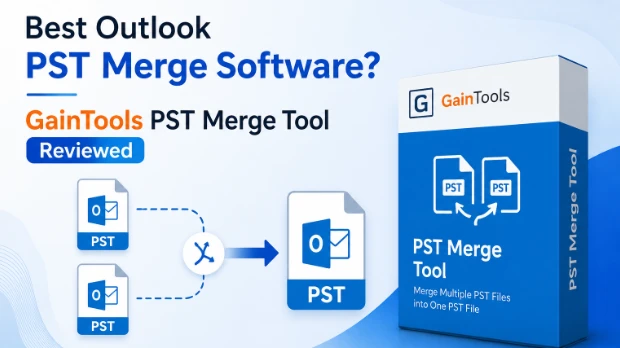
A detailed review blog of the GainTools PST Merge Tool. This tool helps in combining multiple PST files into a single PST file.
Over time, handling numerous Outlook PST files may get challenging. Managing a large number of PST files frequently results in confusion and decreased productivity, regardless of whether you have made archives, moved computers or kept separate mailbox backups. It can take a lot of time to search for emails across several data files, particularly for professionals and businesses that use Outlook extensively for communication.
By merging several PST files into a single Outlook data file, PST merge software offers a workable solution to this problem. We will examine a well-known PST merging solution's features, compatibility, advantages, drawbacks, cost and general performance in this review. You can use this thorough analysis to decide if it is the best option for organizing and managing your Outlook data.
Overview of the Program
The purpose of the GainTools PST Merge Tool is to merge several Outlook PST files into a single PST file without changing the original contents. By lowering the quantity of PST files users must manage, the program makes mailbox management easier.
While maintaining the original folder organization, the program facilitates the merger of emails, contacts, calendars, notes, diaries, tasks and attachments. Both individual users and IT professionals who need to manage huge Outlook data archives can benefit from its simple interface.
Core Features of the Software
Combine Several PST Files into One
Multiple PST files can be combined into a single Outlook data file with this software. This feature makes managing Outlook mailboxes easier and less cluttered.
ANSI and Unicode PST files are supported
The program is compatible with PST files created in both older and more recent versions of Outlook because it can process both ANSI and Unicode PST files.
Several Merge Choices
Depending on their needs, users can select from a variety of merging techniques. Among these choices are: Combining all PST files
- Merging just specific directories
- Making distinct folders for every PST file
- Creating a single structure out of all the directories
Preserves the Folder Structure
During the merging procedure, the software maintains the original folder structure. This guarantees that after consolidation, users can find emails and other mailbox items with ease.
Maintains Data Integrity
During the merge process, all mailbox properties such as email layout, attachments, contacts, calendars and metadata stay the same.
Easy-to-Use Interface
PST merging may be done by individuals without technical knowledge because to the software's wizard-based interface.
Manages Large PST Files
The program is appropriate for commercial settings since users can combine big Outlook PST files without encountering file size restrictions.
System Compatibility and Requirements
Make sure your machine satisfies the necessary requirements before using the software.
Versions of Windows that are supported
- Windows 11
- Windows 10
- Windows 8.1
- Windows 8
- Windows 7
- Windows Vista
- Windows XP
Outlook Versions Supported
The program utilizes PST files produced by:
- Outlook 2003
- Outlook 2007
- Outlook 2010
- Outlook 2013
- Outlook 2016
- Outlook 2019
- Outlook 2021
Hardware Requirements
- 1 GHz or faster processor.
- Minimum 512 MB memory.
- 100 MB free hard disk storage.
Key Benefits of This PST Merging Tool
Reduces Time and Effort
It can take a while to manually import and arrange several PST files in Outlook. The entire process is automated by the program, which efficiently does the job.
Enhances the Organization of Mailboxes
Multiple dispersed archives are more difficult to handle than a single consolidated PST file.
Minimizes the Complexity of Outlook
When looking for emails, contacts, or calendar items, users no longer have to navigate between several PST files.
Preserves Data Precision
The program does not alter or remove data; instead, it maintains the original mailbox content.
Ideal for Users at Home and at Work
The software provides versatility for many usage scenarios, whether managing huge corporate mailboxes or personal archives.
Simple to Use
Anyone may easily merge PST files thanks to its user-friendly interface, which removes the need for technical expertise.
Software Limitations
Although the software completes its main function, users should be aware of a few restrictions.
Limitations of the Trial Version
Users can test the program using the free version; however, it can only handle a certain quantity of things.
Needs PST Files That Are Healthy
The program's purpose is to combine PST files that are accessible. Before processing, severely corrupted files might need to be repaired.
Windows-Only Program
At the moment, the program is limited to Windows operating systems.
Concentrated Functionality
Advanced mailbox management and PST repair features are not included in the software, which focuses on PST merging.
Real-World Illustration
Think about an employee of the organization who has accumulated Outlook data over a number of years. The worker possesses:
- Two files in a PST archive
- One PST backup file
- Three PST files that were exported from earlier systems
Keeping track of six different PST files can hinder efficiency and make email searches challenging.
All six PST files can be merged into a single Outlook data file by utilizing our PST Merge Tool. The original folder structure is preserved while the employee has rapid access to previous emails, contacts and calendars. In addition to increasing productivity, this makes mailbox maintenance easier.
How to Combine PST Files Step-by-Step
The software adheres to a simple procedure that can be finished in a few easy steps.
Step 1: Set Up and Start the Program
On your Windows PC, download, install and launch the program.
Step 2: Include PST Files
Use the file selection or folder selection option to choose the PST files you want to combine.
Step 3: Examine the New Files
Check the chosen PST files and organize them if needed.
Step 4: Select the Output Location
Choose the folder that will be used to store the combined PST file.
Step 5: Choose Merge Preferences
Based on your needs, select the preferred merging option.
Step 6: Begin the Process of Merging
To start the procedure, click the Merge button.
Step 7: Open the Combined PST File
After it's finished, check the combined mailbox data by opening the generated PST file in Outlook.
Pricing Structure
Personal License:
- Appropriate for individuals and non-commercial use.
- Installed on a single device.
- Lifetime Validity.
- Priced at $29.
Business License:
- Appropriate for small companies and commercial use.
- Installed on multiple devices (single location).
- Lifetime Validity.
- Priced at $99.
Enterprise License:
- Appropriate for large organizations and commercial use.
- Installed on multiple devices (multiple locations).
- Lifetime Validity
- Priced at $299.
User Evaluations
Ease of Use: 4.8/5
The UI is simple to use, even for beginners.
Features: 4.7/5
All necessary PST merging features are included in the program.
Compatibility: 4.8/5
It works with several versions of Windows and Outlook.
Performance: 4.9/5
Data accuracy is maintained during the quick merging procedure.
Value for money: 4.7/5
In the long run, the lifetime license offers fair value.
Overall Score: 4.8/5
Conclusion
This program is a good option if you're searching for a quick way to combine several Outlook PST files. It provides a straightforward interface, numerous merge options, wide compatibility and dependable performance. Outlook data administration is made much simpler by the program, which successfully merges PST files while maintaining mailbox structure and data integrity.
The tool offers a reliable option for people, professionals and companies looking for a hassle-free approach to organize Outlook archives. It is a worthwhile investment for anyone handling several Outlook data files because of its reasonable cost, user-friendliness and efficient PST consolidation features.


Comments
Login to Comment