Why Convert EML to PST? Benefits, Common Scenarios & the Best Way to Do It
23 Jul, 2026
905 Views 0 Like(s)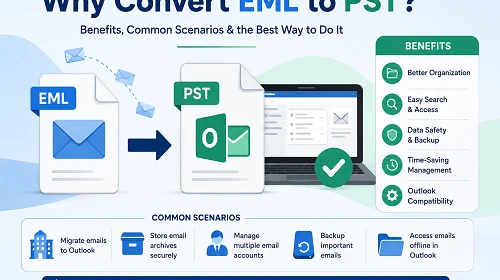
Managing the EML files scattered in several folders can turn into one hell of a management hassle. Although EML files work well as stand-alone files, each EML file of the email messages one has to deal with is difficult to manage in bulk since there is no single mailbox in place.
Introduction
Managing the EML files scattered in several folders can turn into one hell of a management hassle. Although EML files work well as stand-alone files, each EML file of the email messages one has to deal with is difficult to manage in bulk since there is no single mailbox in place.
There are basic differences in the functioning and operation of the EML file format, which means that some specific solutions should be applied in managing each format. EML is used to store single email messages, whereas the PST file format is designed for storing multiple mailboxes and folders in Microsoft Outlook.
Users deal with matters related to switching from EML to PST format with the purpose of improving email management capabilities and getting timely archiving service. There are different methods for converting files from EML to PST format; however, the EML to PST converter software provides the simplest and most efficient solution to the problem.
What is an EML File?
EML files are email message files that are used by different email applications, including but not limited to Windows Mail, Thunderbird, Apple Mail, or other email clients. Usually, an EML file contains only one email message with sender and receiver information, subject, email body, and attachments.
EML files are easily shareable due to individual emails stored in them, but it can be hard to handle hundreds or thousands of EML files for consolidated email storage.
Key features of EML files:
- It stores messages
- It accepts attachments
- It is compatible with different email clients
- It is easy to export and share
- Easy file structure
What is a PST File?
The PST (Personal Storage Table) file is a data file utilised by Microsoft Outlook to keep data locally. It comprises emails, attachments, contacts, calendars, notes, tasks, and folder structures.
PST files, contrary to EML files, allow for the storage of many items in one organised file. This makes them perfect for backup, migration, and long-term email handling.
Key features of PST files:
- Provides for complete mailbox storage
- Is compatible with Microsoft Outlook
- Keeps folder structure intact
- Enables easy backup and migration
- One file for numerous email items
EML vs PST: Key Differences
| Feature | EML | PST |
|---|---|---|
| Storage Type | Individual email files | Complete mailbox database |
| Primary Usage | Saving single emails | Outlook data storage |
| Outlook Support | Limited | Native support |
| Organization | Requires manual management | Folder-based organisation |
| Data Storage | One email per file | Multiple mailbox items |
| Backup & Migration | Less convenient | Easier and more efficient |
Why Do Users Need to Convert EML to PST?
Users switch from EML to PST format to organise their emails in a better way and manage their data easily.
The common reasons behind using the EML to PST conversion are mentioned below:
- Individuals who desire to view their EML emails in Microsoft Outlook opt for the PST format to avoid the complications of managing numerous EML files.
- Several businesses convert their email archives while shifting their information to the Outlook platform.
- Handling thousands of individual EML files is quite tough as compared to a single PST mailbox file.
- With PST, individuals have the opportunity to store various emails, folders, and attachments.
Common EML Challenges and How PST Solves Them
| EML Challenge | How PST Solves It |
|---|---|
| Multiple separate email files | Combines emails into one PST file |
| Difficult email organization | Provides Outlook folder-based management |
| Manual searching across files | Allows Outlook-based email searching |
| Migration difficulties | Supports easier Outlook migration |
| Limited mailbox management | Provides complete mailbox storage |
Before vs After Conversion
| Before Conversion (EML) | After Conversion (PST) |
|---|---|
| Emails stored separately | Emails stored in one mailbox file |
| Manual file management | Organised Outlook storage |
| Difficult bulk handling | Easier email management |
| Limited Outlook accessibility | Direct Outlook compatibility |
Benefits of Converting EML to PST
Converting email files to PST gives users many advantages for email management and accessing Outlook.
- PST is the default storage method of Microsoft Outlook. If EML files are converted to PST, users can read and manage emails directly in Outlook.
- Instead of creating numerous EML files, emails can now be managed through Outlook folders, categories, and mailboxes.
- PST format files are used in most email migration and backup processes. It becomes simple for users to archive or transfer mailboxes using the PST file type.
- When using the PST file format, it becomes easier to search and manage email data.
Popular EML to PST Conversion Solutions
Solution 1: Convert EML to PST Using Outlook
There is no option present in Microsoft Outlook to convert EML files to PST. The only method available is to open EML emails in the Outlook inbox, then export them as PST files.
Steps:
- Download and install Microsoft Outlook on your computer.
- Open Outlook and create the folder to save the EML emails to be imported.
- Navigate to the folder that contains the EML files and select one or more emails.
- Import the EML emails into Outlook through the drag and drop method.
- Click on the File tab on the Outlook menu bar and open the Export wizard by selecting the Import/Export option.
- Choose the option of “Export to a file” and select Outlook Data File(.pst) as the desired format.
- Select the Outlook mailbox containing the emails to be exported. Select a location on your computer to save the PST file.
- Click Finish to create the PST file and thus complete the process of conversion.
Limitation: This method is good to convert a few EML files only, as the manual method can become time-consuming, whereas EML to PST conversion tools can be effective for converting a large number of emails. For bulk conversion, dedicated EML to PST converter tools provide a faster and more convenient approach.
Solution 2: Using the Professional Tools to Convert Emails into PST Format
- Softaken EML to PST Converter
- Kernel EML to PST Converter
- DataVare EML to PST Converter
Softaken EML to PST Converter
The Softaken EML to PST Converter is a highly productive software tool aimed at easy large-scale migrations while making sure your folder and email properties remain intact.
Key Features
- Direct transfer of sizable amounts of EML data
- Preservation of folder structure and hierarchy
- Retention of all important email attributes
- Clean, intuitive interface available for any level of user experience.
Pros
- Fast processing of data in batch mode for large migrations
- Preserving folder Structure
Cons
- Advanced features available only in the paid version
- Free version carries limitations in terms of conversions possible
Kernel EML to PST Converter
Kernel EML to PST Converter is a handy conversion software for converting files from EML into Outlook PST format.
Key Features
- Convert multiple EML files
- Folder structure is maintained throughout the process
- Compatible with various versions of Outlook
- Email formatting is preserved.
Pros
- Reliable conversion process
- Ability to work with bulk email files
- User-friendly interface
Cons
- You should have a licensed version to use all the features
- Pricing might not be cheap.
DataVare EML to PST Converter
DataVare EML to PST Converter is a reliable solution for converting EML files to PST format, allowing Outlook users to access EML files in PST.
Key Features
- Ability to convert a large number of EML mails
- Retention of attachments
- Field-tested conversion procedure
- Creation of PST format for use with Outlook
Pros
- Can be easily used
- Good for small to medium conversions
- Replicates original email
Cons
- Trial version includes limitations
- Can miss certain features
Solution 3: Online Method to Convert EML to PST
FreeConverter.app EML to PST Converter
FreeConverter.app utilises an online conversion method for those looking to convert EML files to PST files.
Key Features
- Easy conversion process
- Accessible from any browser
- No long installation process
Pros
- Convenient to use
- Helpful in making fast conversions
Cons
- File upload limits of online systems
- Not the best option for large email lists
EML to PST Converter Comparison
| Tool | Ease of Use | Attachment Support | Conversion Accuracy | Software Installation | Overall Performance |
|---|---|---|---|---|---|
| Manual Method | Moderate | Good | Moderate | Yes | Good |
| Softaken | Very Easy | Very Good | Very High | Required | Excellent |
| Kernel | Easy | Very Good | High | Yes | Very Good |
| DataVare | Very Easy | Very Good | Very High | Required | Excellent |
| FreeConverter.app | Easy | Good | High | Not Required | Very Good |
Quick Comparison Table
How to Choose the Right EML to PST Converter?
Choosing the right converter depends on your needs.
- Choose a converter that supports bulk conversion when working with large sets of emails.
- Make sure that emails, attachments, and other metadata will not change throughout the process.
- Check if the converter is compatible with your version of Outlook.
- Compare features offered by free and paid versions.
- Try the trial version before investing in larger conversions.
Conclusion
Conversion of EML files to PST is beneficial for users who need effective email management, compatibility with Outlook, and simple management of the mailbox. EML works fine when it comes to storing single email messages, whereas PST provides a greater level of organisation in dealing with multiple email messages.
Manual methods can work for a few files, but applications like Softaken, Kernel, DataVare and FreeConverter offer various features depending on the user. It is important to check conversion accuracy, features, the number of emails and the budget available before picking a conversion tool.
Frequently Asked Questions (FAQ)
Q1. Why would I want to convert EML to PST?
Ans. Users can want to convert EML to PST to use the Outlook email system, to manage more than one type of email file, and to simplify management of emails.
Q2. Are the file's attachments retained during the conversion process?
Ans. Yes, in the majority of cases, they are retained through professional EML to PST converter packages.
Q3. Is PST superior to EML?
Ans. PST is indeed a better solution for those who use Outlook as their main email software, while EML is more suitable for storing singular emails.



Comments
Login to Comment