Suspicious Email Attachments: The Safe Way to Check Before You Open
08 Apr, 2026
2739 Views 0 Like(s)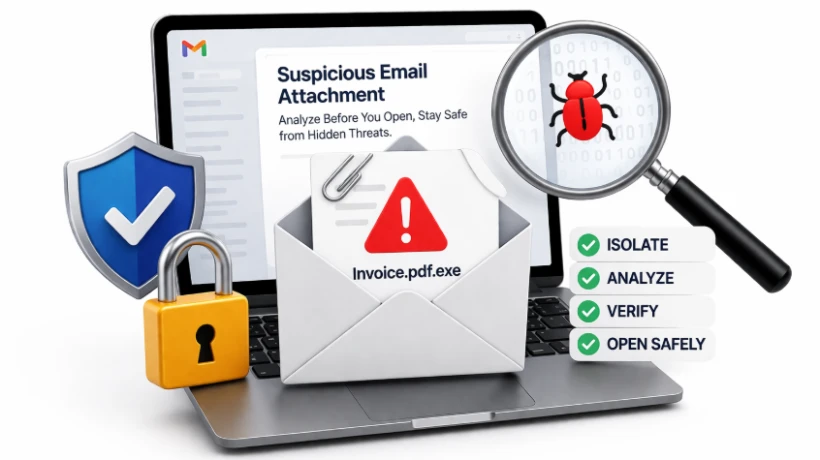
Learn how to safely handle suspicious email attachments without risk. Follow a simple step-by-step method to analyze files before opening and protect your data from hidden threats.
Blog Overview - You receive an email with an attachment. It looks routine maybe an invoice, a report, or a document. But something feels slightly off. That hesitation is important.
Because today, most cyberattacks don’t break systems they convince people to open them.
This guide will show you how to open a suspicious email attachment safely, using a method trusted by investigators—simple, clear, and risk-free.
What Makes Email Attachments Suspicious
A file becomes suspicious not just because of its type, but because of its context.
Ask yourself:
-
Did I expect this file?
-
Does the sender usually send attachments like this?
-
Does the message feel rushed or unusual?
Attackers rely on familiarity. They make harmful files look like:
-
Bills or invoices
-
HR documents
-
Delivery notifications
It’s like receiving a package with your name on it—but you never ordered anything.
Why Attachments Are a Common Attack Method
Attachments are powerful because they:
-
Enter directly into your inbox
-
Bypass basic suspicion
-
Look harmless at first glance
Once opened, they can:
-
Install malware silently
-
Steal login credentials
-
Spread across networks
And the most dangerous part?
👉 It all starts with a single click.
How to Open a Suspicious Email Attachment Safely
Let’s break this into a simple, practical approach anyone can follow.
Step 1: Pause Before You Act
Do not rush.
Avoid:
-
Clicking immediately
-
Downloading out of curiosity
-
Trusting the file just because it “looks normal”
Instead:
-
Hover over the attachment name
-
Check the full file extension
-
Look for anything unusual or mismatched
Think of this like checking a door before unlocking it.
Step 2: Review Without Opening
Instead of opening the file directly:
-
Inspect its type and size
-
Avoid enabling any content or macros
-
Do not open it in default applications
This is similar to looking through a glass window instead of stepping inside. You observe first, act later.
Step 3: Look Beyond What’s Visible
Most malicious attachments don’t reveal their intent upfront.
Hidden risks may include:
-
Links that redirect to harmful sites
-
Scripts embedded within documents
-
Data hidden inside images
So:
-
Scan for unusual links
-
Be cautious of files asking for permissions
-
Treat “Enable Content” as a red flag
It’s like reading between the lines of a message.
Step 4: Open Only in a Controlled Environment
If the file still needs to be checked:
-
Never open it on your primary system
-
Use a secure environment or investigation tool
-
Ensure the file cannot execute harmful actions
This is how professionals work—they don’t take chances.
They control the environment before interacting with the file.
A Smarter Way to Handle Suspicious Attachments
Manual checks are helpful but they have limits.
In real investigations, experts use dedicated tools to:
-
Examine attachments safely
-
Detect hidden elements
-
Analyze without executing files
This removes guesswork completely.
How Professional Tool Simplifies the Process
Instead of switching between tools and manual checks, MailXaminer brings everything into one place.
It allows you to:
-
View attachments safely without opening them
-
Inspect file details and hidden components
-
Filter and identify suspicious files quickly
It’s like having a forensic lab built into your system.
Uncover Hidden Details with Precision
You can:
-
Identify embedded content
-
Analyze file structure
-
Detect suspicious behavior patterns
This helps you move from guessing to knowing.
Work Without Risk
The biggest advantage:
-
No direct file execution
-
No accidental exposure
-
Complete control over analysis
So you stay safe while investigating.
Generate Clear Reports
Once analysis is complete:
-
Export findings
-
Document suspicious activity
-
Share insights easily
This is especially useful for teams, audits, and investigations.
Mistakes That Put You at Risk
Even experienced users make these errors:
-
Opening attachments because they “seem urgent”
-
Trusting known names without verification
-
Ignoring file extensions
-
Skipping safe analysis steps
These small mistakes often lead to big problems.
Simple Decision Rule
Before opening any attachment, ask:
-
Was I expecting this?
-
Does the file match the context?
-
Is there any pressure to act quickly?
If anything feels off, don’t open it directly.
Conclusion
Suspicious email attachments are not rare—they are one of the most common ways attackers gain access.
The difference between staying safe and facing a breach is simple:
👉 Opening vs Analyzing
Don’t just open files
Understand them first.
Because in today’s digital world,
A moment of caution can prevent a major incident.



Comments
Login to Comment