How to Unlock RAR File Online: Easy and Safe Methods
25 Jul, 2026
859 Views 0 Like(s)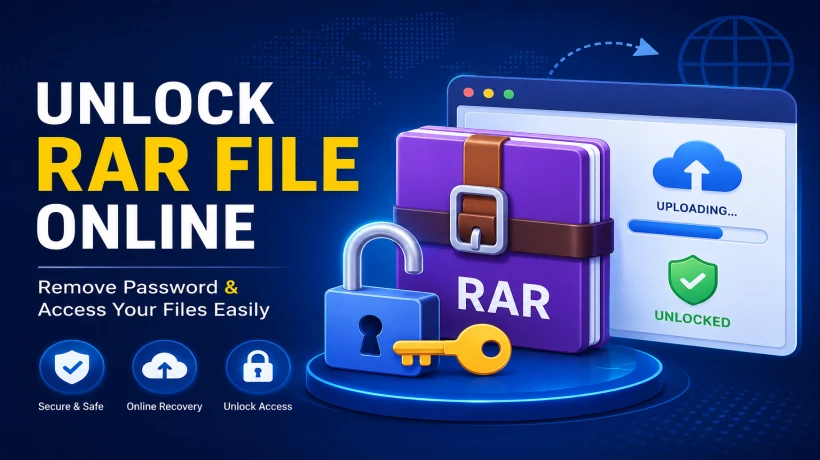
Learn how to unlock RAR file online using safe and effective methods. Explore free options, limitations, and the best solution to recover forgotten RAR passwords.
RAR files are widely used to compress and share large files. To keep important data secure, many users protect these archives with a password. But if you forget that password, accessing the files can become frustrating. That's when people start searching for ways to unlock RAR file online.
Online tools may help in some cases, but they don't always work, especially for strong passwords. In this guide, you'll learn the different ways to unlock a RAR file, the limitations of online services, and when it's better to use a dedicated recovery tool. Additionally, read how to open locked RAR password without password.
Why Are RAR Files Password Protected?
Password protection helps prevent unauthorized access to important files. That's why many users look for ways to unlock RAR file online after forgetting the password.
Common reasons for protecting RAR files include:
-
Secure personal documents and photos.
-
Protect confidential business files.
-
Safeguard financial records.
-
Share sensitive files safely over email.
-
Prevent unauthorized access during file transfers.
Can You Unlock a RAR File Online?
Yes, you can try to unlock a RAR file online, but success depends on several factors.
Online recovery services attempt to recover the password by testing different combinations. They are more likely to work if the password is short or simple. However, if the archive is protected with a strong password, online tools often fail or take a very long time.
If your RAR file contains confidential information, uploading it to an online website may also raise privacy concerns.
Methods to Unlock RAR File Online
If you've forgotten your RAR password, there are several methods you can try. Some are quick and free, while others offer better success rates for complex passwords.
Method 1: Use an Online RAR Password Recovery Service
Many websites offer online password recovery for RAR archives.
Steps:
-
Visit a trusted online recovery website.
-
Upload the password-protected RAR file.
-
Wait while the service attempts to recover the password.
-
If successful, use the recovered password to open the archive.
Limitations:
-
May not recover complex passwords.
-
File size restrictions are common.
-
Uploading private files can be risky.
-
Recovery may take several hours.
-
Some websites require payment before showing results.
Method 2: Check Your Saved Passwords
Before trying to unlock RAR file online, check whether you've already saved the password somewhere. Many users find the password in their browser, password manager, email, or notes, making it the quickest and easiest way to regain access.
Look in places like:
-
Browser password manager.
-
Password manager applications.
-
Notes app.
-
Email conversations.
-
Backup documents.
Limitations:
-
Only works if the password was previously saved.
-
Doesn't help if the password was never stored.
Method 3: Try Common Password Variations
When attempting to unlock RAR file online, don't overlook simple password guesses. Many users create passwords using familiar information that they can easily remember.
Try combinations based on:
-
Your name.
-
Birth date.
-
Company name.
-
Phone number.
-
Favorite words or phrases.
Limitations:
-
Can take time if you don't remember much.
-
Strong passwords are difficult to guess.
Method 4: Use a Professional Recovery Tool
If online methods don't work, a dedicated recovery tool is often the better choice. SysTools RAR Password Recovery Tool helps recover forgotten passwords without uploading your files to the internet.
Steps:
-
Install and open a reliable recovery tool.
-
Add the locked RAR file.
-
Select a recovery mode such as Brute Force or Mask Attack.
-
Configure the recovery settings if needed.
-
Click Start to begin password recovery.
-
Once the password is recovered, use it to unlock the RAR file.
Benefits:
-
Keeps your files on your computer.
-
Supports encrypted RAR archives.
-
Multiple recovery methods.
-
Easy-to-use interface.
-
Suitable for personal and business users.
-
No file upload required.
Common Mistakes to Avoid
When trying to unlock RAR file online, avoid these common mistakes:
-
Uploading confidential files to unknown websites.
-
Using untrusted recovery services.
-
Deleting the original RAR archive.
-
Stopping the recovery process too early.
-
Downloading software from unofficial sources.
-
Assuming every online tool can recover strong passwords.
Which Method is Best?
If you want to unlock RAR file online, the right method depends on your situation. Simple passwords may be recovered with online services, while complex passwords often require a dedicated recovery tool.
-
If the password is simple and the file isn't sensitive, an online recovery service may be worth trying.
-
If the archive contains important or confidential data, an offline recovery tool is usually the safer option.
-
Before trying any recovery method, always check whether you've already saved the password.
Conclusion
Searching for ways to unlock RAR file online is often the first step after forgetting a password. While online services can sometimes recover simple passwords, they aren't guaranteed to work and may expose sensitive files if you upload them. For stronger passwords or confidential archives, using a trusted solution provides a safer and more reliable way to recover access to your RAR files without sharing them online.



Comments
Login to Comment