How AI Improves Business Efficiency Without Increasing Operational Complexity
28 Jul, 2026
614 Views 0 Like(s)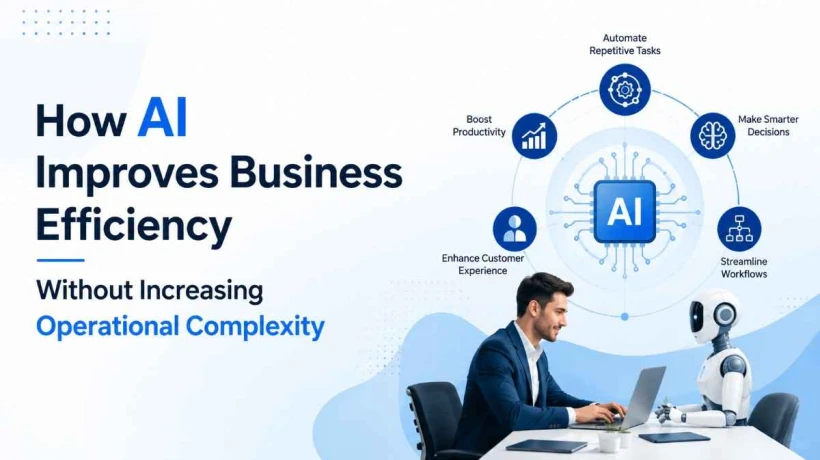
Discover why Enterprise IoT Monitoring requires automated, real-time visibility to improve device performance, reduce downtime, and scale IoT operations.
McKinsey's 2025 State of AI survey found that 88 percent of organizations now use AI in at least one business function, and 79 percent use generative AI regularly. Yet the same research shows only about 7 percent have scaled AI enterprise-wide, and MIT's Project NANDA reports that 95 percent of generative AI pilots never produce measurable financial impact. The gap between adoption and value is not a technology problem. It is a complex problem. Most businesses bolt AI onto existing workflows instead of designing it into them, and the result is more dashboards, more tools, and more overhead rather than less.
Custom generative AI solutions exist to close that gap. Built around a specific business's data, systems, and decision points rather than a generic chatbot interface, they are the difference between AI that adds friction and AI that removes it.
Understanding Business Efficiency in the AI Era
Efficiency used to mean cutting headcount or speeding up a single task. That definition no longer holds up.
Today, efficiency means fewer handoffs between systems, faster time from question to decision, and less manual reconciliation between departments that should already be talking to each other. A support team that resolves tickets faster but still copies data between five tools by hand hasn't gained much. Real efficiency shows up in the total time a process takes from start to finish, not in one isolated step.
-
Reduced cycle time across multi-step processes, not just faster individual tasks
-
Fewer manual touchpoints between systems and departments
-
Decisions made with current data instead of last week's spreadsheet export
Why Traditional Automation Isn't Enough
Rule-based automation (RPA, workflow triggers, if-this-then-that scripting) handles repetitive, structured tasks well. It breaks the moment a task requires judgment, context, or unstructured input.
A traditional automation tool can move an invoice from an inbox to an accounting system. It cannot read a vague customer complaint, understand the underlying issue, and draft an appropriate response. It cannot summarize a 40-page vendor contract and flag the three clauses that matter to legal. This is where most RPA investments stall: the easy 60 percent of a workflow gets automated, and the hard 40 percent, the part that actually determines whether a process is efficient, still lands on a person's desk.
Generative AI models are built to handle exactly that unstructured, judgment-heavy middle ground, which is why they extend automation rather than replace it.
What Are Custom Generative AI Solutions?
A custom generative AI solution is a system built on top of a large language model, but fine-tuned, prompted, or architected around a specific company's data, tools, and workflows rather than deployed as a generic assistant.
The difference between "using ChatGPT" and deploying a custom solution is the difference between a generic tool and a system that knows a company's CRM structure, product catalog, compliance rules, and internal terminology. Practically, this includes retrieval-augmented generation (RAG) pipelines connected to internal knowledge bases, fine-tuned models trained on industry-specific language, and AI agents wired into existing business software through APIs.
-
RAG systems that ground responses in a company's actual documents and data
-
Fine-tuned or prompt-engineered models trained on domain-specific terminology
-
AI agents integrated with CRMs, ERPs, or internal databases through APIs
-
Custom interfaces built for a specific team's workflow, not a generic chat window
How Custom Generative AI Solutions Improve Business Efficiency
The value of a custom build shows up across several distinct areas of a business, not just one.
Automating Repetitive Business Tasks
Generative AI handles the drafting, summarizing, and data-entry work that used to consume hours of skilled employees' time. Sales teams use it to draft follow-up emails from call transcripts. Finance teams use it to summarize expense reports and flag anomalies before a human reviewer even opens the file.
Enhancing Employee Productivity
Rather than replacing roles, a well-built AI system removes the low-value work surrounding a role. Deloitte's State of AI research has linked AI deployment in enterprise operations to measurable cost reduction, largely because employees spend less time on searching, formatting, and reconciling, and more time on the parts of their job that require actual expertise.
Accelerating Decision-Making with AI Insights
A custom model connected to live business data can answer questions that used to require pulling a report and waiting on an analyst. Instead of a two-day turnaround on "how did this product line perform last quarter," an executive gets a grounded answer in minutes, with the underlying data cited.
Improving Customer Support and Engagement
McKinsey's research identifies customer service as one of the most common enterprise AI use cases, and for good reason. A support model trained on a company's actual product documentation and past ticket history resolves routine queries accurately and escalates the genuinely complex ones, instead of forcing every customer through the same generic decision tree.
Simplifying Knowledge Management
Most companies have institutional knowledge scattered across Slack threads, old wikis, PDFs, and the heads of a few senior employees. A RAG-based system indexes all of it and turns "who knows the answer to this" into "ask the system."
Creating Personalized Business Workflows
A generic SaaS tool is built for the average customer. A custom AI solution is built for one company's actual process, which means it fits without requiring the business to change how it operates just to accommodate the software.
Reducing Operational Complexity Through AI
The irony of most enterprise software rollouts is that they add complexity in the name of removing it. Every new tool means another login, another integration to maintain, and another system that doesn't quite talk to the others.
A well-architected custom AI solution works differently because it sits on top of existing systems rather than replacing them. It pulls from the CRM, the ERP, and the support desk through APIs, and it presents a single interface to the employee. The complexity gets absorbed into the integration layer instead of being pushed onto the person using the tool. This is also why fine-tuning and RAG matter more than model size: a smaller, well-grounded model that understands a company's specific data outperforms a larger generic one that has to guess.
Key Industries Benefiting from Custom Generative AI Solutions
Adoption patterns vary sharply by sector, and the businesses seeing real returns tend to be the ones automating high-volume, judgment-heavy processes rather than novelty use cases.
-
Financial services: fraud pattern summarization, compliance document review, and client communication drafting
-
Healthcare: administrative automation, clinical documentation support, and intake processing
-
Manufacturing: predictive maintenance reporting and quality control documentation
-
Retail and e-commerce: demand forecasting narratives, personalized product recommendations, and inventory exception handling
-
Technology and SaaS: internal knowledge search, technical documentation generation, and developer support tooling
Best Practices for Successful AI Implementation
Most failed AI projects fail for the same handful of reasons, and most of them have nothing to do with the underlying model.
-
Start with one high-friction workflow instead of trying to overhaul every department at once
-
Ground the model in clean, well-structured internal data before layering on more capability
-
Involve the employees who actually do the work in the design process, not just IT
-
Set a measurable efficiency baseline before deployment so improvement can actually be verified
-
Build in human review for high-stakes decisions rather than full autonomy from day one
Common Challenges and How to Overcome Them
RAND's research puts the enterprise AI project failure rate above 80 percent, and traces most of it to data quality and integration gaps rather than model performance. That finding matches what shows up in practice.
-
Messy or siloed data: consolidate and clean source data before connecting a model to it, since a RAG system is only as good as what it retrieves
-
Unclear ownership: assign a specific team or role responsible for the AI system post-launch, not just during the build
-
Employee resistance: involve staff early and frame the tool as removing drudge work, not as a replacement threat
-
Integration debt: budget for the API and data-pipeline work upfront, since this is usually where projects run over time and cost
Future of AI-Driven Business Operations
Agentic AI, systems that can take multi-step actions rather than just generate text, is still early. S&P Global Market Intelligence and McKinsey put current production deployment of AI agents at roughly 31 percent of enterprises, led by banking and insurance. Over the next few years, expect the line between "AI assistant" and "AI-run process" to blur further, with more systems handling entire workflows end-to-end and looping in a human only at decision checkpoints that genuinely need one.
Final Thoughts
Efficiency gains from AI come from subtraction, not addition. The goal isn't another dashboard or another login. It's fewer steps between a question and an answer, fewer manual handoffs between systems, and fewer hours spent on work that a model can now do in seconds. Custom generative AI solutions, built around a specific business rather than a generic use case, are what make that subtraction possible without adding a new layer of operational complexity on top.



Comments
Login to Comment