Handling Large Data in SQL – A Complete Guide for High-Volume Databases
02 Mar, 2026
6122 Views 0 Like(s)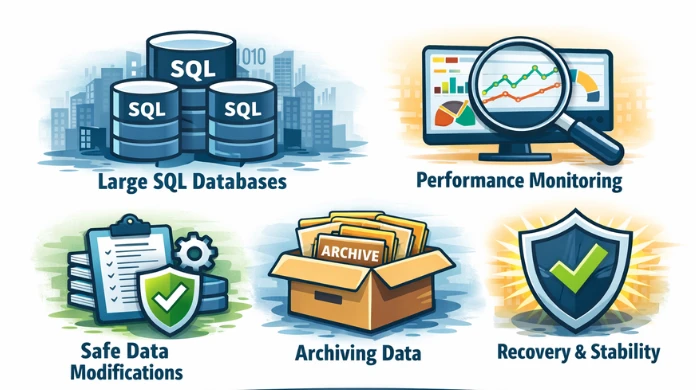
Learn how to handle large data in SQL efficiently using proven strategies such as table partitioning, smart indexing, batch processing, archiving, and workload isolation. This practical guide explains how to keep high-volume databases fast, stable, and scalable while reducing performance risks and operational failures in real production environments.
Modern applications generate data at a pace that traditional database designs were never built for. As tables grow into millions or billions of rows, even small inefficiencies can turn into serious performance and stability problems.
Handling large data in SQL is not only about query tuning. It is about designing tables, controlling data growth, minimizing I/O, managing transactions, and operating safely at scale.
This guide explains the practical and proven techniques used to handle large datasets in production SQL environments.
What does “Large Data” Mean in SQL Systems?
In real-world environments, large data usually means:
- tables with millions or billions of records
- databases growing into hundreds of gigabytes or terabytes
- continuous inserts, updates, and reporting queries running together
The real challenge is not just size.
It is concurrency, data movement, and maintenance at scale.
Typical problems include:
- slow queries and full table scans
- long blocking chains
- excessive transaction log growth
- risky schema and data changes
Why Large Data Requires a Different SQL Strategy?
Practices that work for small databases often fail when data grows:
- wide tables increase I/O
- unnecessary indexes slow down writes
- large updates block business traffic
- maintenance windows become impossible
At scale, the goal is always to:
- read less data
- write less data
- lock fewer rows
- keep operations short and predictable
There are numerous risks that come along while handling large data in SQL Server database. This includes accidental loss of data in the database and bigger risks of database corruption in the database. In such situations, it is always efficient to go with a professional utility such as SysTools SQL Data Recovery Tool. This utility is efficiently designed to deal with database errors and issues such as database corruption and data deleted due to human error.
1. Design Tables for Scale from the Beginning
Large data performance starts with table structure.
Keep rows narrow
Avoid placing rarely used, large columns in the main transactional table.
Move large text, JSON, logs, or descriptive fields into separate tables.
Narrow rows:
- fit more records per data page
- reduce memory pressure
- reduce storage reads
Use appropriate data types
Choosing smaller and precise data types:
- improves join performance
- increases cache efficiency
- reduces index size
This becomes extremely important when tables contain tens or hundreds of millions of rows.
2. Partition Large Tables to Control Data Growth
Partitioning divides a large logical table into multiple smaller physical parts.
Instead of scanning an entire table, the engine can read only the partitions that match the query.
Common partitioning strategies:
- date-based partitions (daily, monthly, yearly)
- range-based partitions (ID ranges or tenants)
Partitioning also makes archiving and maintenance much safer.
3. Build an Index Strategy for Large Datasets
Indexes are essential, but they must be controlled.
Every index:
- increases storage usage
- slows down inserts and updates
- increases maintenance overhead
For large tables, indexes should exist only for:
- filtering columns used in WHERE clauses
- join keys
- sorting or grouping columns when required
Composite indexes usually perform better than many single-column indexes.
4. Minimize How Much Data Each Query Reads
Most large-database performance problems are caused by queries that read more data than necessary.
Good practices include:
- selecting only required columns
- applying filters as early as possible
- avoiding broad historical scans in operational queries
Returning large result sets to applications is expensive and often unnecessary.
5. Load Large Volumes of Data Efficiently
Row-by-row inserts do not scale well.
Large systems rely on:
- batch inserts
- bulk loading mechanisms
- controlled commit intervals
This approach:
- reduces transaction log pressure
- minimizes locking overhead
- improves overall throughput
6. Handle Large Updates and Deletes Safely
Large updates and deletes are one of the biggest operational risks.
A single large statement can:
- lock huge portions of a table
- generate massive log activity
- block user transactions
- become difficult to roll back
The safest approach is to process data in small batches.
Each batch:
- updates or deletes a limited number of rows
- commits immediately
- releases locks quickly
7. Archive Old Data Instead of Keeping Everything Online
Operational tables should only contain active business data.
Historical records should be moved to archive tables or archive databases.
Archiving provides:
- smaller and faster tables
- smaller indexes
- shorter maintenance operations
It also simplifies partition management.
8. Reduce Locking and Blocking
Large data operations naturally run longer and therefore increase the risk of blocking.
To reduce contention:
- keep transactions short
- avoid user interaction inside transactions
- separate reporting workloads from heavy write workloads
Many large environments use replicas or secondary systems for reporting.
9. Use Execution Plans to Tune Queries at Scale
At large scale, assumptions are dangerous.
You must continuously analyze:
- execution plans
- join algorithms
- scan versus seek behavior
- memory usage
A query that works well on small data can degrade severely when data volume increases.
Final Best-Practice Checklist for Handling Large Data in SQL
- design narrow and efficient tables
- partition large tables
- keep index count under control
- avoid unnecessary scans
- batch all large inserts, updates, and deletes
- archive historical data
- separate reporting workloads
- maintain tables at the partition level
- monitor storage and log growth continuously
Conclusion
Handling large data in SQL is not a one-time optimization task—it is a continuous discipline that combines smart data modeling, controlled indexing, partitioning, safe data modification practices, and proactive monitoring. As databases grow into millions or billions of rows, even small design or query mistakes can lead to serious performance degradation, blocking issues, and operational risks. By consistently limiting how much data is read and written, batching large operations, archiving historical records, and maintaining tables at the partition level, organizations can keep their SQL environments scalable, stable, and predictable.
More importantly, a well-defined strategy for handling large data in SQL directly supports long-term performance, safer schema and data changes, and faster recovery when something goes wrong. When this guide is combined with focused practices around monitoring, locking analysis, safe DML execution, and recovery planning, it creates a strong foundation for running large, business-critical SQL databases with confidence.



Comments
Login to Comment