DataVare EML to MSG Converter Review: Making Public Records Easier to Manage
25 Jun, 2026
1261 Views 0 Like(s)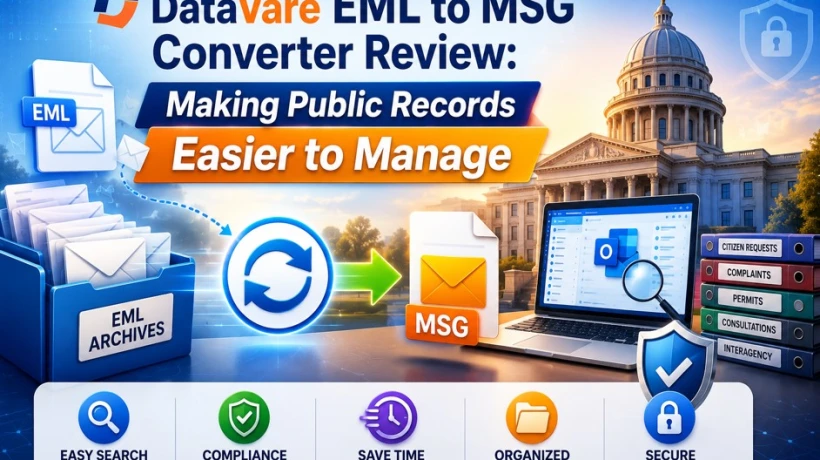
Maintaining public records involves more than just keeping emails; it also involves making sure they are accessible, accountable, and compliant. After switching to an Outlook-based environment, our department faced increasing difficulties with 47,000 archived EML files, which we examine in this report. Staff replies to requests for legal discovery and freedom of information were being slowed down by manual searches, exports, and file-by-file evaluations.
The majority of industries do not have to consider public records management. Citizen communications are government records that may be subject to legal discovery, preservation obligations and freedom of information demands; they are not merely operational emails. When format incompatibility makes it impossible to retrieve certain records, the problem is not just internal. It turns into a public accountability issue.
Our department stored citizen communication records as EML files for a number of years. The volume grew steadily, and those EML archives became a real difficulty when our office switched to an Outlook-based architecture. Technically, the records were there, but it become harder and harder to find, examine and produce information when needed.
We used DataVare EML to MSG Converter as part of a larger records modernization project after manual methods became unfeasible at scale. This review describes the procedure from the viewpoint of an information officer, including the problem's nature, the approaches we've attempted and the tool's actual limits.
What Public Sector EML Records Actually Involve
It's crucial to comprehend the type of records involved before delving into the technical aspects.
The citizen communication archives in our department comprised:
- Service request correspondence: emails that document citizen requests and government responses
- Grievance and complaint threads: records of how problems were brought forward, addressed, and resolved
- Letters pertaining to licenses and permits: letters pertaining to both recent and previous applications
- Responses to public consultations: comments made by the public during formal consultation sessions
- Coordination documents shared via interagency discussions with various governmental organizations
Different retention requirements apply to each category under our jurisdiction's records management regulations. Some have a five-year retention period. Some take ten years or longer. The issue with compliance was not the EML format per se. It was accessible.
The Development of the EML Accessibility Problem
These EML archives were created using an outdated email software. The archived EML files were moved to a network share and mostly left unaltered when our workplace switched to Outlook.
Over time, a number of problems surfaced:
- Requests for freedom of information that required searches through citizen correspondence that had been stored were more time-consuming.
- When opening EML files in Outlook, staff members encountered uneven outcomes. While some showed formatting problems or missing attachments, others rendered correctly.
- Because there was no trustworthy search index, manual file-by-file searches were necessary for legal discovery requests involving archival correspondence.
- Because they were not familiar with the format, new hires often need help accessing archived EML records.
Every team that depended on old correspondence eventually experienced quantifiable overhead due to the expanding archive. This was a build-up of operational friction rather than a single crisis.
The Outcomes of Manual Searches and Exports
Our records team used manual procedures prior to putting in place a conversion solution.
Method 1: Searching by Hand
- Workers accessed EML files on their own using a third-party viewer.
- To satisfy information requirements, message content and subject lines were manually examined.
- Hours of labor were frequently needed for requests spanning several years of correspondence.
Method 2: Exporting by Hand
- A few EML records were exported separately into formats that were easier to access.
- Batch processing was not possible.
- A second organizational issue resulted from the frequent storage of exported data without standard folder structures or naming conventions.
What These Techniques Were Unable to Address
- Since there was no search index, each archive search required manual file examination.
- The quality of the export varied; some EML files were properly exported, while others experienced problems with subject-line encoding or missing attachment references.
- The procedure was not expandable. There was no practical limit to the manual workload's growth as information requests increased.
The administration of the EML archive took up between 30 and 40 percent of the records team's working hours.
Why Bulk EML to MSG Conversion Was the Appropriate Structural Solution
The EML issue was handled as a request-by-request issue by the manual method. It was addressed as a system-wide problem by bulk conversion.
Several goals were concurrently accomplished by converting the full EML archive into MSG format:
- Outlook's native format, MSG, enables native file opening without the need for third-party viewers or inconsistent rendering.
- Outlook search can index MSG files, allowing the archive to be searched without the need for manual file-by-file analysis.
- Because MSG constantly manages Outlook attachments, attachment reliability has increased.
- Because MSG records function similarly to regular Outlook emails, staff no longer need specific expertise of EML files.
Moving from a dedicated archive environment to one that was completely integrated into the standard Outlook workflow was the goal.
How the Conversion Was Configured
There were about 47,000 records in our EML archive, arranged by category and year in several departmental directories.
Steps in Preparation
- Confirmed that the desired MSG output structure and the current folder structure made sense.
- Determined which four record types were producing the most information requests for priority conversion.
- Explained the conversion schedule to departmental records staff.
Conversion Technique
- Priority categories, which included more than 18,000 records of service requests and complaint correspondence, were converted first.
- Two further batches of the remaining categories were transformed.
- Post-conversion spot checks were performed on a 5% sample from each category. Outlook was used to examine randomly chosen records for content integrity, attachment availability and timestamp correctness.
Timetable
Within seven working days, all 47,000 records were transformed.
Benefits That Changed Daily Records Management
- Outlook started to fully search the archive. With Outlook search, information requests that once required hours of manual inspection might now be finished in minutes.
- Because MSG output resolved rendering issues with EML files, attachment accessibility became consistent.
- Because MSG files work precisely like regular Outlook emails, there is no longer a need for staff training.
- Workflows for FOI requests accelerated dramatically, cutting response times from hours to minutes.
- The usual procedures were maintained by maintaining the departmental organization by year and category.
Information Officers Need to Know About These Restrictions
- The quality of the source EML determines the quality of the output. Sometimes records with structural flaws produced partial MSG output, necessitating manual scrutiny.
- A Windows environment is necessary for the software. Windows computers must be available to departments that use Linux or macOS infrastructure.
- Conversion tasks need to be initiated by hand. Since there is no automated scheduling, a specified operational procedure is needed for the ongoing conversion of recently archived EML files.
- Before converting, the folder hierarchy mapping should be examined to make sure it complies with Outlook organizational rules.
- Scheduled batch processing is advantageous for very big archives. During initial testing, processing time was increased by trying to process the full archive in a single operation.
Typical Questions
Does bulk EML-to-MSG conversion preserve the original email timestamps?
Yes. The MSG format retains the original send and receive timestamps. Timestamp accuracy is critical for public records purposes since it is required for legal discovery production and retention schedule compliance.
How were demands for freedom of information handled during the conversion era?
Priority record categories were transformed first based on which categories generated the most FOI action. Requests for non-priority categories received during conversion were handled utilizing the existing manual EML review process until those batches were completed.
Does the converted MSG archive work with standard Outlook archiving tools?
In fact, MSG files are inherently compatible with Outlook archiving, including Auto Archive and third-party compliance archiving tools. After conversion, the archive was instantly integrated into our current retention management procedure.
What happens to EML files that include incorrect or missing attachments?
The source EML's corrupted or absent attachments are reflected in the MSG output. Content missing from the source file cannot be replicated by the application. These records were recorded in conversion reports for records management purposes.
Can legitimate discovery be made using the converter's output?
When it comes to legal discovery, the MSG format is frequently employed. It is the responsibility of your legal team to ascertain if it conforms with certain jurisdictional or case-specific production requirements. Verify the proper production formats with legal counsel prior to converting records that are under current litigation holds.
How does mass conversion handle EML files with non-standard character encoding?
In our experience, standard UTF-8 encoded files were converted without any issues. A few old entries with out-of-date encoding caused some display problems in the subject lines. During spot-check reviews, they were found and recorded.
To sum up
Public records management forbids the luxury of inaccessible archives. When citizen correspondence cannot be effectively searched, examined and generated, the distinction between operational capacity and legal obligation becomes evident. Staff burden, information request response times and ultimately responsibility are all affected.
Because the records existed and were kept, our department's EML archive was technically compliant. However, in reality, the format restricted its utility beyond simple storage.
By converting 47,000 records into a format that seamlessly connects with our Outlook environment and is searchable, accessible and producible without the need for specialized handling, EML to MSG Converter eliminated that gap.
There are actual restrictions related to source file quality, manual scheduling and Windows reliance. But these weren't obstacles for a department with IT support and a well-organized conversion plan. We saw a considerable improvement in our FOI response capability and a noticeable drop in records administration overhead within the first month following conversion.



Comments
Login to Comment