Your Ultimate Guide to Microsoft Power Virtual Agents: Build AI Chatbots Without Code
22 Apr, 2026
1937 Views 0 Like(s)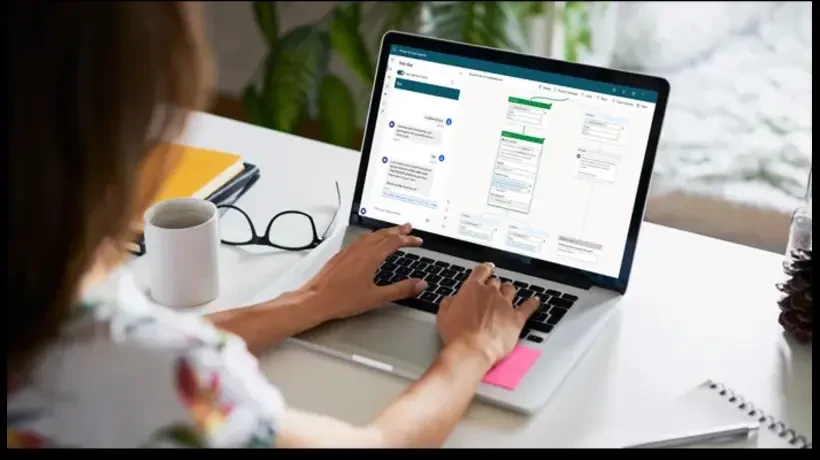
Artificial intelligence is no longer reserved for tech departments — business leaders can now leverage AI tools without deep technical expertise. Microsoft Power Virtual Agents empower teams to create AI-driven chatbots that handle support, engagement, and internal workflows, all through a low-code/no-code interface.
Introduction
Artificial intelligence is no longer reserved for tech departments — business leaders can now leverage AI tools without deep technical expertise. Microsoft Power Virtual Agents empower teams to create AI-driven chatbots that handle support, engagement, and internal workflows, all through a low-code/no-code interface.
In this guide, we’ll walk through what Power Virtual Agents are, how they work, key benefits, and best practices for deployment.
What Makes Power Virtual Agents Unique?
Power Virtual Agents are part of the Microsoft Power Platform, which includes Power BI, Power Apps, and Power Automate. This ecosystem enables:
- Data integration across systems
- Automated workflows
- Low-code business apps
- Intelligent conversational agents
Unlike traditional bots that require developers, Power Virtual Agents lets business users build and manage chatbots through a visual interface.
How Power Virtual Agents Work
- Design Conversations Visually
Drag-and-drop topics and conversation paths based on how users speak. - Leverage Natural Language Understanding
The bot learns from user input and handles variations in phrasing with AI. - Connect to Data & Systems
Use Power Automate to trigger real-time actions — like creating support tickets or retrieving order details. - Analyze Bot Performance
Built-in analytics show what users ask, where the bot succeeds or fails, and where improvements are needed.
Benefits for Every Department
Customer Support
Automate answers to queries like pricing, delivery times, refunds, and policy questions — instantly and automatically.
Sales & Marketing
Engage visitors with product recommendations, lead capture, and appointment scheduling — without live agents.
HR & Internal Operations
Handle FAQ-style requests about employee benefits, training resources, and onboarding processes.
Best Practices for Success
To maximize impact:
- Start with High-Frequency Queries
Prioritize automating the questions that occupy your teams most frequently. - Design Conversational Flows Around User Intent
Spend time on the way users actually speak — not just keywords. - Integrate for Real-Time Actions
Link with systems like Dynamics 365 or your CRM to retrieve live data during conversations. - Continuously Monitor Analytics
Use insights to fine-tune bot responses and add new topics.
Measuring ROI of Power Virtual Agents
Common performance metrics include:
- Resolution Rate: How many queries the bot successfully handles end-to-end.
- Reduction in Support Tickets: How much live agent workload decreases.
- Customer Satisfaction Scores: Feedback from users after interactions.
- Operational Cost Savings: Less agent time, faster response, and higher automation efficiency.
How DynamicsStream Can Help
DynamicsStream specializes in Power Platform solutions, including Power Virtual Agents. We support:
- Strategy and consulting
- Bot design and development
- Power Automate workflow integrations
- Analytics, monitoring, and optimization
Whether you’re launching your first bot or scaling an existing solution, our experts ensure your virtual agents deliver real results.
What Are Microsoft Power Virtual Agents?
Microsoft Power Virtual Agents is a low-code platform that helps businesses create conversational chatbots using a drag-and-drop interface. Instead of spending months developing a chatbot from scratch, organizations can design bot flows visually, test them, and publish them across multiple channels such as websites, Microsoft Teams, and social platforms.
The system uses natural language processing (NLP) to understand user questions and respond in a human-like way. This makes it easier for customers to interact naturally rather than typing rigid commands.
Top Benefits of Power Virtual Agents
1. Better Customer Experience
Power Virtual Agents provides consistent and accurate responses, improving customer satisfaction. Customers don’t have to repeat themselves, and they get answers instantly.
2. 24/7 Availability
Unlike human support teams, virtual agents can handle customer requests anytime. This is especially valuable for global organizations with customers in multiple time zones.
3. Reduced Support Costs
By automating repetitive tasks like checking order status, tracking deliveries, or answering policy questions, businesses can significantly reduce the cost of support operations.
4. Seamless Integration with Microsoft Tools
One major advantage is how easily Power Virtual Agents integrates with Microsoft’s ecosystem. Bots can pull data from Dynamics 365, trigger workflows through Power Automate, or retrieve analytics using Power BI dashboards.
Real Business Use Cases
Power Virtual Agents can be applied across many industries:
- Retail & E-commerce: Order tracking, refund requests, product recommendations
- Healthcare: Appointment booking, basic patient FAQs, policy guidance
- Banking: Loan inquiry automation, account guidance, transaction FAQs
- IT Helpdesk: Password reset support, ticket creation, troubleshooting steps
- HR Support: Employee onboarding, benefits questions, leave policy inquiries
These bots can even escalate complex issues to human agents when required, ensuring a smooth support journey.
Why Choose DynamicsStream for Power Virtual Agents?
Implementing a chatbot is not just about creating automated responses. It requires strategic planning, user experience design, and proper integration. DynamicsStream helps organizations build Power Virtual Agents solutions that are scalable, secure, and aligned with business goals.
Our experts assist in:
- Conversation flow planning and optimization
- Dynamics 365 and Microsoft Teams integration
- Workflow automation using Power Automate
- Bot analytics, reporting, and performance improvements
Conclusion
Microsoft Power Virtual Agents democratize AI — enabling organizations to build intelligent bots that enhance service, automate work, and improve experiences without coding. As customer expectations rise, adopting AI-driven conversational tools gives you an edge in speed, efficiency, and agility.
Call to Action:
Want to build smarter bots with Microsoft Power Virtual Agents? Get in touch with DynamicsStream now and start your AI journey.


Comments
Login to Comment