How to Spot a Spoofed Email Before It Costs You
05 Oct, 2026
11 Views 0 Like(s)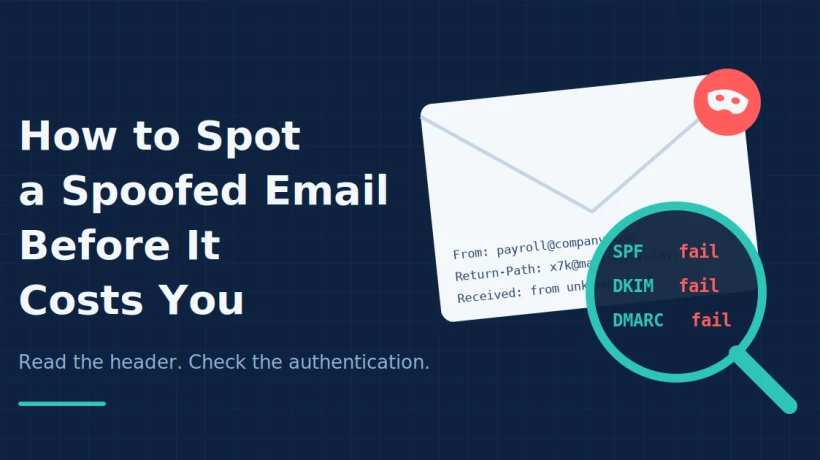
Learn how to spot spoofed emails by checking sender details, Received lines, and SPF, DKIM and DMARC results, plus practical habits and team defenses to stop phishing and fraud before it costs you.
Email remains the number one entry point for fraud. A single convincing message can lead to a drained bank account, a leaked customer database, or a ransomware infection that shuts down an entire company. What makes these attacks so effective is not advanced hacking. It is the simple trick of pretending to be someone you trust.
This practice is called email spoofing, and the good news is that it leaves clues. You do not need to be a security expert to find them. You only need to know where to look and what the signs mean.
What Email Spoofing Really Means
Spoofing is the act of forging the sender details of an email so that it appears to come from a legitimate person or organization. The display name might read "Payroll Department", and the address might look almost identical to your company domain, with one letter swapped or an extra hyphen added.
The reason this works is built into how email was designed. The original email protocols were created in an era when networks were small and trusted, so they never required senders to prove who they were. Modern safeguards have been added on top, but they are not applied everywhere, which leaves gaps that attackers exploit daily.
The Most Common Types of Spoofing
Understanding the different styles helps you recognize them quickly.
Display name spoofing. The attacker sets a familiar name, such as your manager, but sends from an unrelated personal address. This is the most common and simplest form.
Lookalike domains. The sender registers a domain that closely resembles a real one, for example replacing the letter "o" with a zero. At a quick glance, it looks right.
Direct domain spoofing. The attacker forges the actual domain in the "From" field. This is harder to pull off against domains with strong protections, but it still succeeds against those without them.
Reply-to manipulation. The "From" address looks legitimate, but the reply address is quietly set to a different mailbox controlled by the attacker, so your response goes straight to them.
Red Flags You Can Spot Without Any Tools
Before you open any technical data, a careful look at the message often reveals the problem.
-
Urgency and pressure. Messages demanding immediate action, such as "pay within the hour" or "your account will be closed today", are designed to stop you from thinking.
-
Unusual requests. A colleague who has never asked you for gift cards or wire transfers suddenly doing so should raise suspicion.
-
Slight mismatches. Hover over the sender name and links without clicking. If the address or destination does not match what is displayed, be cautious.
-
Generic greetings. Real vendors usually address you by name, while mass phishing often uses "Dear customer".
-
Odd formatting or tone. Strange grammar, mismatched logos, or an unusual writing style compared with the person's normal emails are all warning signs.
These checks catch a surprising number of attacks, but skilled attackers polish their messages. That is when the header becomes your best friend.
Using the Email Header as Evidence
Every email contains a header, a hidden block of technical information recording how the message traveled. It lists the servers that handled it, timestamps, and the outcome of authentication checks. Unlike the visible parts of the email, much of this data is generated by mail servers rather than typed by the sender.
When you open the full header in Outlook, three areas deserve your attention.
The From and Return-Path fields. If the visible sender and the return path point to completely different domains, something may be wrong. Legitimate bulk senders sometimes use different domains for technical reasons, but a mismatch combined with other red flags is worth investigating.
The Received lines. These show the route the message took. Read them from the bottom up to follow the journey in order. Check whether the servers listed make sense for the organization the email claims to be from. A message supposedly sent by a major bank should not originate from an unknown hosting provider.
The authentication results. These are the most revealing part, and they are explained next.
SPF, DKIM and DMARC in Plain Language
These three standards act like a verification system for email.
SPF lets a domain owner publish a list of servers allowed to send mail on its behalf. The receiving server checks whether the message came from one of those approved servers.
DKIM adds a cryptographic signature to the message. If the signature validates, it shows the message was authorized by the signing domain and was not tampered with on the way.
DMARC connects both checks to the domain shown in the visible "From" address and tells the receiving system what to do if the checks fail, such as quarantine or reject.
If you see failures for all three on a message that claims to come from a well-known organization, treat it as highly suspicious. If you see passes, remain thoughtful, because an attacker who owns a lookalike domain can configure all three correctly for that fake domain. Authentication proves a message came from the domain it claims, not that the domain itself is honest.
Where IP Addresses Fit In
Many people jump straight to the IP address, hoping it will reveal exactly who sent the message. In practice, the IP is just one piece of the puzzle. It often belongs to a mail server or relay rather than an individual, and it can be masked by VPNs or proxies.
Still, IP data is useful when paired with the rest of the header. An address linked to known spam activity, or one located far from where the sender should be, strengthens your suspicion. If you want to learn the practical steps for locating these details, the guide on How to Trace Email Sender IP Address in Outlook walks through opening headers and reading each entry carefully.
A Simple Routine for Everyday Protection
You do not need to run a full investigation on every message. A short routine is enough for most situations.
-
Pause before reacting, especially to anything urgent or financial.
-
Check the sender address carefully, not just the display name.
-
Hover over links to see where they really lead.
-
If something feels wrong, open the full header and review the Received lines and authentication results.
-
Verify unusual requests through a separate channel, such as a phone call to a number you already know.
-
Report suspicious messages to your IT or security team and keep the original email intact.
That final step is more important than it sounds. Deleting a suspicious email destroys evidence that could help your organization protect others.
What Organizations Should Do
Individual awareness helps, but businesses need layered defenses.
Publish and enforce authentication records. Setting up SPF, DKIM and DMARC with a strict policy makes it much harder for attackers to forge your domain and fool your customers.
Train employees regularly. Short, recurring awareness sessions with realistic examples work better than one long annual presentation.
Create a clear reporting process. Staff should know exactly who to contact and how, without fear of blame.
Use verification for sensitive actions. Payment changes and credential requests should always require a second confirmation.
Preserve evidence properly. When an incident occurs, keeping original messages and headers intact can make the difference between a quick resolution and an unsolvable case.
When the Volume Becomes Too Much
Checking a single suspicious message manually is realistic. Investigating an incident that involves thousands of emails across multiple mailboxes is not. Security teams, legal departments and investigators often need to search large archives, compare routing patterns, identify spoofed headers at scale, and produce reports that stand up to scrutiny.
This is where dedicated Email Forensic software becomes valuable. Such tools parse headers automatically, support many email formats, highlight suspicious IP addresses and allow findings to be exported in an organized way. They also keep sensitive messages within a controlled environment, which matters when the data includes confidential business or personal information.
Final Thoughts
Spoofed emails succeed because they exploit trust and speed. The best defense is a habit of slowing down just enough to check the details. Look at the sender carefully, question unusual requests, and use the header when something does not add up.
No single clue is conclusive. A suspicious IP, a failed authentication check, or a mismatched return path means more when it appears alongside other warning signs. Build the habit of looking at the whole picture, preserve your evidence, and escalate quickly when the risk is real. A few extra seconds of caution can prevent a very costly mistake.



Comments
Login to Comment