What Causes MP3Juice to Stop Converting Songs?
17 Aug, 2026
599 Views 0 Like(s)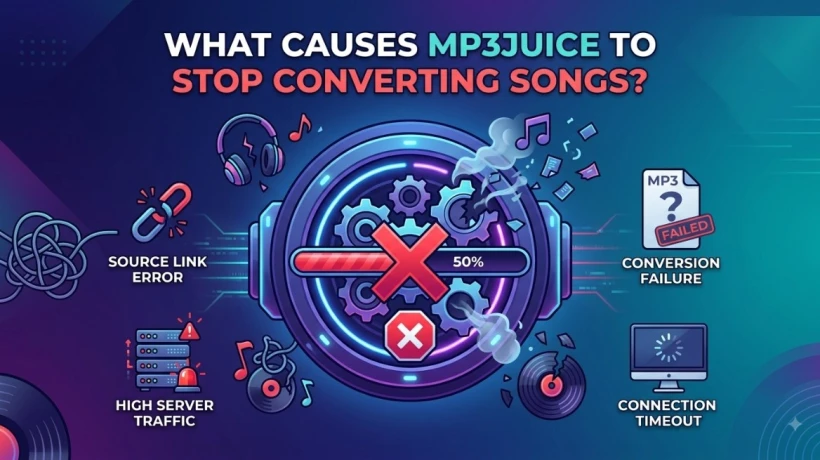
Find out why MP3Juice stops converting songs, explore common causes, and learn simple solutions to fix conversion issues for a smoother audio experience.
Online audio tools can make it simple to search for and save audio for offline listening. But sometimes things do not happen correctly, which means conversion may stop before the file is ready. The issue can be caused by the website, browser, internet connectivity, or the source video itself.
When downloading video with the MP3Juice download tool, users may sometimes experience failed searches, empty conversion files, or downloads that never end. Knowing the cause in advance can help identify the problem and look for a simple solution without changing devices.
What Is MP3Juice?
MP3Juice is generally associated with online audio search and conversion. Users may past supported video link or search for an audio name and then wait for an MP3 conversion for offline listening.
The whole process runs on online services and source content, many technical issues can affect how well a conversion works.
Why Does MP3Juice Stop Converting Songs?
There is no one reason why conversion might stop. The most common issues are related to internet connections, server issues, unsupported sources, heavy traffic, and browser settings.
Let's look at each possibility.
1. Unstable Internet Connection
A weak or interrupted internet connection is one of the first things to check.
If your connection drops while the website is processing a request, the conversion may fail or remain stuck.
How to Fix It
Try restarting your router or switching to a more stable network. If you are using mobile data, move to an area with better signal strength.
You can also pause other downloads and streaming activities to give the connection more available bandwidth.
2. Website Server Problems
Sometimes the problem is not on your side. Online services can experience temporary server issues or heavy traffic.
When many people use a service at the same time, processing requests may take longer than usual or fail.
What You Can Do
Wait for a while and try again later. Repeatedly refreshing the page may not help if the server itself is experiencing a temporary problem.
3. The Source May Not Be Supported
Not every online video or audio source works with every conversion service. Changes to a source website can also affect how third-party conversion tools process content.
If one particular link repeatedly fails while other supported content works, the source may be the reason.
Only convert or download content that you have permission to use and that the service legally supports.
4. Browser Cache Problems
Your browser saves temporary information to help websites load faster. Sometimes this stored data can become outdated or corrupted.
This may cause pages to behave unexpectedly, including problems with searches and conversion requests.
Simple Solution
Clear the browser's cache and temporary website data, then reopen the browser. You can also try a private or incognito window to see whether the issue continues.
5. Too Many Browser Tabs or Extensions
Having many tabs open can use a large amount of memory. Some browser extensions may also interfere with website functions.
For example, privacy tools, content blockers, or other extensions can sometimes prevent certain page elements from working correctly.
Try This
Close unnecessary tabs and temporarily disable extensions that may be interfering with the page. Then reload the service and try again.
6. Outdated Browser
An older browser may have compatibility problems with modern websites.
If the conversion page does not load correctly or buttons fail to respond, check whether your browser has an available update.
Keeping your browser updated can improve compatibility, performance, and security.
7. Temporary Browser Glitch
Sometimes the browser simply gets stuck. This can happen after keeping a browser open for a long time or switching between many websites.
A quick restart can refresh the browser session and remove temporary problems.
Close the browser completely, open it again, and retry the process.
8. Heavy Website Traffic
Popular online tools can become busy during peak periods. A large number of simultaneous requests may slow down processing.
You may notice that the search works but the conversion takes much longer than normal.
In this situation, waiting and trying again later may be the simplest option.
9. Device Storage Is Nearly Full
A conversion may finish on the server but fail when your device cannot save the resulting file.
Check your available storage if the process appears to complete but no file is saved.
Removing unnecessary files, clearing temporary downloads, or moving existing media to external storage can free up space.
10. Security Software May Block the Process
Browser security settings or security software can sometimes prevent certain downloads from completing.
Instead of turning off important security protections, check the warning message first. Make sure you are using a trusted service and avoid downloading suspicious files.
Never ignore security warnings simply to complete a download.
Quick Troubleshooting Checklist
If MP3Juice stops converting, try these steps in order:
-
Check your internet connection.
-
Refresh the page once.
-
Try again after a short wait.
-
Clear your browser cache.
-
Close unnecessary tabs.
-
Test another supported source.
-
Update your browser.
-
Check available device storage.
-
Try a different browser.
-
Wait if the service appears to be experiencing heavy traffic.
This approach helps you determine whether the issue is related to your device, connection, browser, source, or the online service.
How to Avoid Conversion Problems
You can avoid common problems by keeping a internet connection stable and use updated browser. Do not run several large downloads at the same time, and make sure your device has enough space.
It is also important to use reputable services and avoid suspicious pop-ups, unfamiliar files, or websites asking for unnecessary personal information.
Conclusion
MP3Juice conversion process may fail for several reasons, including a poor internet connection, server issues, limited storage, heavy traffic, unsupported formats, and browser issues. The good thing is that all issues are solved by very simple troubleshooting. Checking your connection, refreshing your browser, clearing cookies that are stored, and trying again later are good solutions. If some sources fail again and again, it may be better to check whether that content is supported or not and whether you have permission to download it.



Comments
Login to Comment