Top Methods to Convert OST file to MSG in 2026
01 May, 2026
1930 Views 0 Like(s)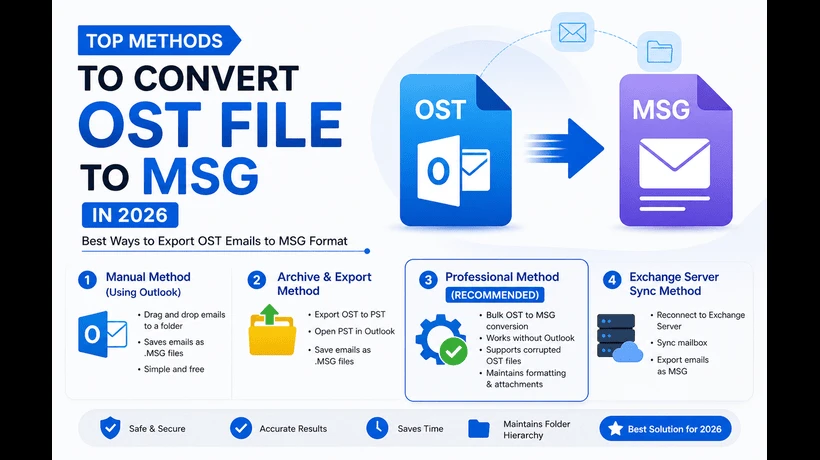
Best method to convert OST to EML
Summary
Want to exchange your Outlook emails on other platforms without Outlook? A good solution to open the messages separately is to convert OST emails to MSG files. In this post, we will speak about the necessity to convert OST to MSG files and numerous techniques to do the same.
Outlook OST is highly dependent on Exchange Server availability, and when Exchange Server fails, OST files become unavailable. So, it is better to convert the OST file into a common format that is supported by most email applications. To get out of such problems, OST emails to MSG file conversion is useful. MSG is a single file that preserves a single Outlook email containing message content, header information, attachments, inline pictures, etc. The article explains the most frequent ways to convert OST to a MSG file.
Benefits of Converting OST to MSG Files
There are a few things that impact the choice to convert OST emails to MSG format. Below are some of the most prevalent explanations we have listed:
- The MSG file is excellent for saving your critical emails into a single file for backup and record-keeping reasons.
- If you need to share information with your coworkers and non-Outlook users, then converting emails to MSG will be useful. You are not obligated to provide all of your mailbox data.
- It helps to minimize the size of the OST file when the size of the OST file is too huge.
- If you want to move OST emails to another Outlook profile, then you may accomplish that by converting them into .msg files.
Manual Method to Export OST Emails to MSG Files
If you have the current Outlook profile from which the OST file is generated, then you may choose a manual solution. If you're seeking to convert an inaccessible OST file, then you need an automated program for it. Here are the two ways —
Step 1: Drag & Drop in Outlook
- Start Microsoft Outlook.
- Select the email you wish to retain.
- Drag the email from Outlook and put it into a folder on your desktop.
- This email will be automatically stored as a .MSG file.
Step 2: Save As in Outlook.
- Open Outlook and choose the email you wish to convert to PDF.
- Select File > Save As.
- In the Save as type drop-down, choose Outlook Message Format (*.msg).
- Choose a location and save.
Disadvantages of manual techniques
Before proceeding with the manual conversion of OST emails to MSG format, it is advised to be aware of the possible hazards of this activity. Some of the frequently linked dangers are:
- The manual procedure might destroy the OST file data structure and folder hierarchy.
- Moving emails from a large OST file is a difficult and time-consuming process.
- If the OST file is corrupted or damaged, then it is not possible to export it manually to an OST file.
- Do not use the manual technique for emails containing sensitive information, as it may lead to data breaches.
How to Bulk Convert OST to MSG Files?
ToolsBaer for OST to MSG Conversion Tool can convert all your emails without any data loss easily. The most significant feature is the ability of the program to convert emails from an orphaned or damaged OST file. Email folders and sub-folders hierarchy and structure are preserved throughout the process of converting.
Conclusion
Conversion of OST emails to MSG format is an effective way to distribute emails, take a backup, and manage your inbox. Manual techniques that we mentioned above work well for a smaller number of emails. But for big mailboxes, it is recommended to utilize a specialist program supporting bulk conversion.



Comments
Login to Comment