Top 6 PST to EML Conversion Solutions Compared for Accuracy, Speed, and Email Export Quality (2026)
15 Jul, 2026
782 Views 0 Like(s)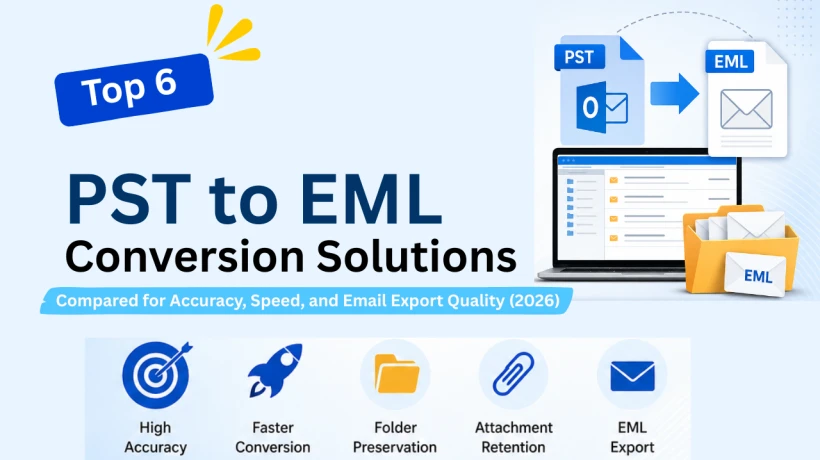
Compare the top PST to EML conversion solutions in 2026. Explore features, usability, performance, and email export capabilities to find the right Outlook email extraction tool.
Introduction
PST files are mainly used to save emails, contacts, notes, etc. Although the PST format works perfectly under Microsoft Outlook, there are cases when users prefer the EML format instead of the whole mailbox archive. The EML format files are supported by many email clients, such as Windows Mail, Thunderbird, Apple Mail, eM Client, and other document management systems.
As organizations work on different email platforms and users are switching between operating platforms, the need for reliable mailbox extraction tools increases. It is important to select a good solution, as the quality of conversion, folder preservation, attachment support, and processing speed can be decisive factors for the final effect.
This comparison guide analyzes six famous software programs used to convert Outlook emails to EML. This guide doesn’t merely rely on advertising but will consider usability, functions, flexibility of conversion, and efficiency of the solution for making the right decision.
What Is PST to EML Conversion?
The process of converting PST to EML involves extracting email messages from an Outlook PST file and saving them as separate EML files.
While a PST file stores all folders and messages in one mailbox, an EML file contains only one message with its metadata, attachments, sender details, time stamps, and formatting.
By converting PST files to EML format, users can:
- Read emails outside of Outlook.
- Open emails in different email applications.
- Store messages separately.
- Send particular messages with ease.
- Keep important emails in a widely accepted format.
Since the EML format is supported by many different email platforms, many prefer converting their mailbox archive into individual EML files for ease of accessibility and portability.
Why Is PST to EML Conversion Important?
There are many practical reasons why users opt to save Outlook mail into EML file format.
Greater Access to Email
- Most email clients can work with the EML file format directly, which serves to improve access. This makes it possible to get messages without the use of Microsoft Outlook.
- User who transfer from Outlook to Thunderbird, Apple Mail, and Windows Mail need to use the EML format as part of their transition.
- Unlike PST archives, EML files let users save each message separately so that they can keep everything organised. This is helpful for legal purposes, compliance, and archiving.
- Sending one EML file is much easier than sending the entire PST archive. This makes it possible to share one specific communication.
- Many companies save certain messages in the EML format to make it easier to manage those messages in the future.
Top PST to EML Export Utilities Compared
MailVare PST to EML Converter
MailVare PST to EML Converter provides a light mailbox extraction tool intended for users who want a simple conversion. The software is based on the principles of retaining e-mail data and folder structure during the transfer.
Key Highlights
- Supports Outlook data files of all sizes
- Keeps the original folder structure
- Retains e-mail format
- Preserves attachment files
- Friendly navigation interface
Advantages
The tool is very easy to work with. The user can upload mailboxes and create EML files almost immediately.
Considerations
The demo version comes with certain limitations that can not be sufficient for new or beginner users. Additionally, purchasing the full version is necessary for handling large-scale migration tasks.
SysInfo PST to EML Converter'
SysInfo has developed a feature-rich mail extraction software. The tool supports the selective processing of mailboxes and has complex export settings. It is suitable for individual users but also for IT specialists who work with mail systems.
Key Highlights
- Handles even large Outlook archives
- Maintains e-mail properties
- Retains the integrity of metadata
- Supports selective export
- Takes care of attachment files
Advantages
This software gives users better control over the export process and is good for those who handle large mailboxes.
Considerations
The interface can be a bit complex for novices.
MailVita PST to EML Converter for Mac
MailVita PST to EML for Mac is developed to assist macOS users in transferring Outlook emails to EML format. Since most mailbox migration software is based on Windows, this platform-centric solution provides an important addition.
Key Highlights
- Accessible only on macOS
- Handles multiple types of Outlook archives
- Retains message formatting
- Maintains folder structure
- User-friendly process
Advantages
The application allows Mac users to perform mailbox extraction without using Windows or virtualisation options.
Considerations
The software’s interface is a bit simpler than other tools.
MailsDaddy PST to EML Converter
MailsDaddy has garnered a reputation for developing email migration and data recovery software. The Outlook email exporter emphasises accuracy as well as ensuring that the original structure of messages remains intact.
Key Highlights
- Allows for bulk operation
- Stores email properties
- Preserves the attachments
- Makes sure folder structure is preserved
- Provides preview capability
Advantages
The preview function allows users to check mailbox contents in advance to make the export process less error-prone.
Considerations
Processing speed can differ with larger mailboxes or resource-constrained systems.
eSoftTools PST to EML Converter
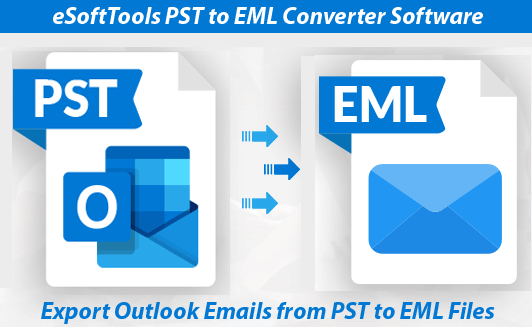
eSoftTools PST to EML Converter offers a complete email extraction tool that works in small and large mailbox environments. The solution focuses on both the integrity of the data obtained and reliable conversion.
Key Highlights
- Ability to work with large mailbox archives
- Email formatting preservation
- Metadata retention
- Support for selective extraction
- User-friendly navigation system
Advantages
Users enjoy flexibility in handling mailboxes while preserving email properties.
Considerations
Some functions can be complicated for inexperienced users.
FreeConverter.app Online PST to EML Converter

FreeConverter.app provides users with a web-based solution without any software installation. Users can upload Outlook archives and convert them online.
Key Highlights
- No software installation
- Available on various devices
- Easy upload-and-convert process
- Useful for occasional use
- Access through web
Advantages
This method is very convenient for user who need to process mailboxes without installing software on their computers.
Considerations
Those who have sensitive business information must always check the privacy policy before using this kind of service.
Feature Comparison Overview
| Tool | Best For | Platform | Ease of Use | Overall Suitability |
|---|---|---|---|---|
| Mailvare | Beginner users, easy and fast conversions | Windows | Excellent | Excellent |
| SysInfo | Advanced users and IT professionals | Windows | Good | Very Good |
| MailVita | Mac users | macOS and Windows | Excellent | Very Good |
| MailsDaddy | Users needing mailbox preview before export | Windows | Very Good | Good |
| eSoftTools | Flexible mailbox management | Windows | Good | Good |
| FreeConverter.app | Quick online conversions | Web-Based | Very Good | Very Good |
Final Verdict
There are several options available in the market that can effectively convert Outlook mailbox archives into EML files, with each option being meant for a different type of user.
- The MailVare option is great for users who prefer an easy-to-use solution.
- SysInfo gives more flexibility when it comes to export options.
- MailVita is a great choice for Mac users.
- MailsDaddy has great preview functions and also supports versatile mailboxes.
- eSoftTools is known to provide a great balance between reliability and e-mail management features.
- FreeConverter.app is a great choice when it comes to making simple conversions using a browser-based tool.
Choosing the best is all about factors like size of the mailbox, OS, and security.
Frequently Asked Questions (FAQ)
Q1. Which email software can read EML files?
Ans. EML files can be read with numerous Email applications, such as Thunderbird, Windows Mail, etc.
Q2. Do EML files include attachments?
Ans. Indeed, EML files can be created in a way that they include all message content, the attachments, and the information about the sender and receiver.
Q3. Can I work with EML files without Outlook?
Ans. The fundamental advantage of the EML format is that it can be opened with various email software without the need to use Outlook.
You can also read: PST to EML converter comparison guide



Comments
Login to Comment