Step by Step Guide to convert msg file into pdf format
06 Jun, 2026
1485 Views 0 Like(s)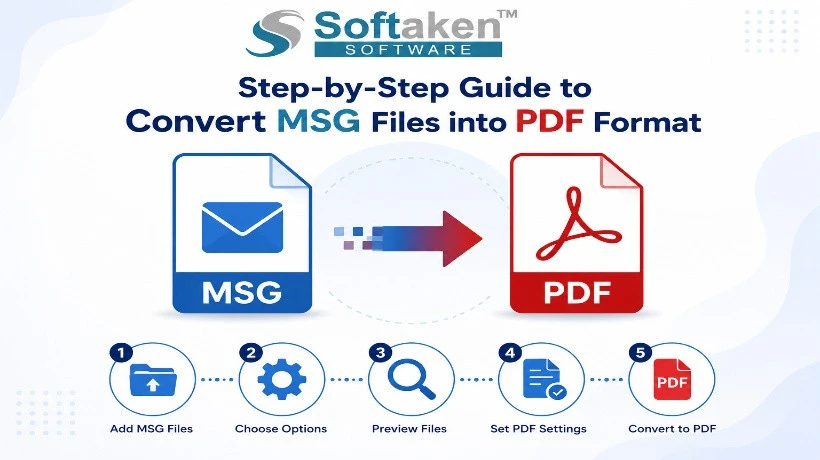
Convert Outlook MSG files into PDF format for secure storage, easy sharing, and long-term accessibility. This guide explores the benefits of PDF email archiving, email data preservation, and reliable MSG to PDF Converter solutions that maintain formatting, attachments, and essential email properties throughout the conversion process.
Introduction
Email messages are constantly full of business information, legal records, invoices, project discussions, and customer communications. Storing these emails in a format accessible to everyone improves document management and long-term accessibility. PDF is one of the most popular file formats for preserving digital information because of its portability, security, and compatibility with different devices. Softaken MSG to PDF converter individual e-mail messages generated by Microsoft Outlook. These files are really good in Outlook, but can be difficult to get to outside of Outlook. MSG files can be converted to PDF files, which lets users save email content in a more accessible and shareable format.
What is a PDF and MSG File
The MSG file format stores the entire Outlook email message, including the message body, sender and recipient information, attachments, formatting, and metadata. These files are used to save and manage Outlook e-mail messages.
PDF, however, is a platform-independent document format that can be opened on virtually any operating system. PDF files look the same no matter what device or software you’re viewing them on.
The compatibility of PDF makes it a frequent choice for document preservation and for email archiving.
Benefits of MSG to PDF Conversion
There are several good reasons to convert Outlook mail to PDF.
Universal Access
You don’t need Microsoft Outlook to open PDF files on Windows, macOS, Linux, smartphones, and tablets.
Improved email archiving
Many organizations archive important email communications as PDFs for reference and compliance purposes.
Better Document Security
Password protecting and restricting permissions on PDF files can help keep sensitive information safe.
Share easily
PDF documents don’t have compatibility issues, making them easier to share with clients, colleagues, and legal teams.
Prolonged preservation
PDF is a widely used format for preserving the formatting and readability of documents over time.
Common MSG to PDF Conversion Scenarios
Lots of reasons why so many professionals use PDF email messages. And the reasons for this are:
*Legal documents;
* Keeping Financial Records
* Records of customer communications
* Business news headlines
* Compliance requirements
* Email backup storage
Saving emails in PDF format makes it easier to find the information and get the documents.
Manual Methods for Email Retention
Sometimes, users who have fewer Outlook emails will use the print option that is built into the program to save their messages as PDFs. This approach could be helpful for a single task, but it is not efficient when dealing with large email collections.
Manually converting MSG files often requires you to open each file one by one, which can be a time-consuming and tedious task. In the case of large email archives, automated solutions are typically more practical for organizations.
Professional MSG to PDF Converter Tools
Specialized MSG to PDF Converter tools make the email conversion process easier and also retain important email features. These are designed to preserve the structure and integrity of the Outlook messages during the conversion process.
Typical key capabilities are:
Converting large MSG files
* Preservation of email formatting
* Supported attachments
* Keep metadata
* Humanize the following text in the English language while preserving its meaning and tone.
* Quick change
* User-friendly
These features help users to run email conversion projects more conveniently and reduce the manual work involved.
Reasons to Keep Email Components
Email messages are more than just text. The original email attributes must be maintained during conversion for accurate record-keeping.
The important features are:
* Information on sender
* To: Recipient
* Lines of Subject
*Date and Time Stamps Attachments
* Images embedded
* Email formatting.
If these elements are maintained, the PDF copies would be identical to the original Outlook emails.
Benefits of PDF Email Archive
A common and portable way of storing communication records is becoming more and more prevalent, with organizations turning to PDF archives. PDF documents are simple to search, organize, back up, and share with other departments. A well-managed PDF archive can help in the efficient management of documents and help in the long-term goals of business continuity.
Conclusions
MSG to PDF conversion provides improved email accessibility, improved document preservation, and promotes information sharing. PDF is one of the most reliable formats to save important communications because of its compatibility, security, and long-term reliability.
From handling single emails to archiving massive business datasets, converting Outlook emails to PDF is a practical way to secure valuable communication data and improve document management.
Visit here: https://www.softaken.com/msg-to-pdf-converter



Comments
Login to Comment