Shopify Variant Image Automator Image Naming Tips
05 Apr, 2026
2940 Views 0 Like(s)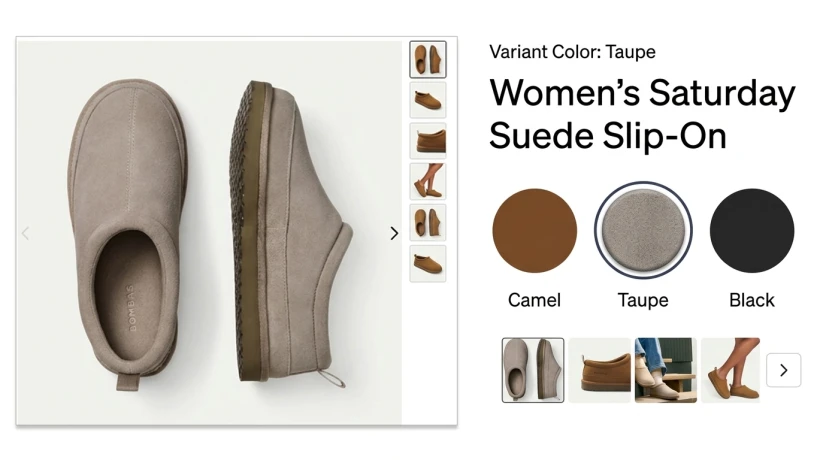
Introduction
Managing product images can be challenging, but the Shopify Variant Image Automator simplifies the process. With Nova Multiple Variant Images, store owners can easily organize and automate variant images, making image naming consistent, professional, and SEO-friendly for better online visibility.
Why Image Naming Matters in Shopify
Proper image naming is often overlooked, yet it is crucial for SEO and customer experience. Clear and descriptive file names help search engines understand your images, improve ranking on Google, and make your store easier to manage.
Using a tool like Shopify Variant Image Automator ensures that variant images follow a consistent naming convention, saving time and reducing errors when uploading multiple images. With Nova Multiple Variant Images, automation makes this process effortless, even for large catalogs.
Best Practices for Shopify Variant Image Naming
1. Be Descriptive
Your image names should describe the product clearly. For example, instead of IMG001.jpg, use red-cotton-tshirt-front.jpg. This improves SEO and helps you quickly identify images.
2. Include Variant Details
Add variant attributes like color, size, or material to your image names. For example:
blue-cotton-tshirt-large.jpg
The Shopify Variant Image Automator can automatically rename files according to these variant details, ensuring consistency across your store.
3. Use Hyphens, Not Underscores
Search engines read hyphens as spaces. So, use red-cotton-tshirt.jpg instead of red_cotton_tshirt.jpg. This small change can improve your SEO performance over time.
4. Keep Names Short but Informative
While being descriptive is important, long filenames can be cumbersome. Aim for concise names that include essential information.
5. Avoid Special Characters
Special characters like !, &, or % can break image links. Stick to letters, numbers, and hyphens for smooth functionality.
Automating Image Naming with Shopify Variant Image Automator
Manually renaming hundreds of images is tedious. This is where the Shopify Variant Image Automator shines. It allows you to:
-
Automatically rename images based on product variant details.
-
Maintain consistent naming conventions across your catalog.
-
Save hours of manual work with batch processing.
Using Nova Multiple Variant Images, you can link images directly to the correct variants. This ensures that the right image displays when customers select a product option, improving their shopping experience.
Tips for Organizing Images Efficiently
1. Create a Structured Folder System
Organize images by product type or collection before uploading. This makes automated renaming smoother and easier to track.
2. Use Batch Renaming Tools
The Shopify Variant Image Automator works best with batch uploads. Tools like Nova Multiple Variant Images can rename multiple files simultaneously, saving hours of manual labor.
3. Consistency is Key
Consistency in naming, format, and resolution helps maintain a professional store look and avoids confusion during marketing campaigns or SEO audits.
4. Test Before Going Live
Always preview your renamed images on the product pages. Ensure each variant displays the correct image to avoid mistakes that could confuse customers.
SEO Benefits of Proper Image Naming
Proper image naming directly impacts your store's SEO. Search engines like Google read filenames to understand content. Well-named images improve:
-
Search ranking – descriptive filenames can show up in Google Image search.
-
User experience – customers quickly identify products.
-
Store management – easier to find and replace images.
By using the Shopify Variant Image Automator in combination with Nova Multiple Variant Images, you can automate SEO-friendly filenames and maximize both efficiency and visibility.
Linking Your Store Images to Shopify
When integrating images with your store, always use proper file URLs. If you're looking to understand Shopify’s guidelines, visit Shopify’s official image optimization guide. Following these recommendations ensures faster loading times and better search engine performance.
Common Mistakes to Avoid
-
Generic filenames like IMG123.jpg
-
Skipping variant details
-
Using spaces or special characters
-
Neglecting SEO impact
Automating with Shopify Variant Image Automator ensures you avoid these pitfalls while maintaining professional, SEO-friendly image naming.
Conclusion
Proper image naming is essential for store efficiency, SEO, and customer experience. The Shopify Variant Image Automator, especially with Nova Multiple Variant Images, helps streamline image organization, ensuring your Shopify store runs smoothly while boosting your search visibility.


Comments
Login to Comment