How to Make a Product’s Size Clear in a Short Video
10 Nov, 2026
9 Views 0 Like(s)
Show product size with one ruler shot and clear measurements.
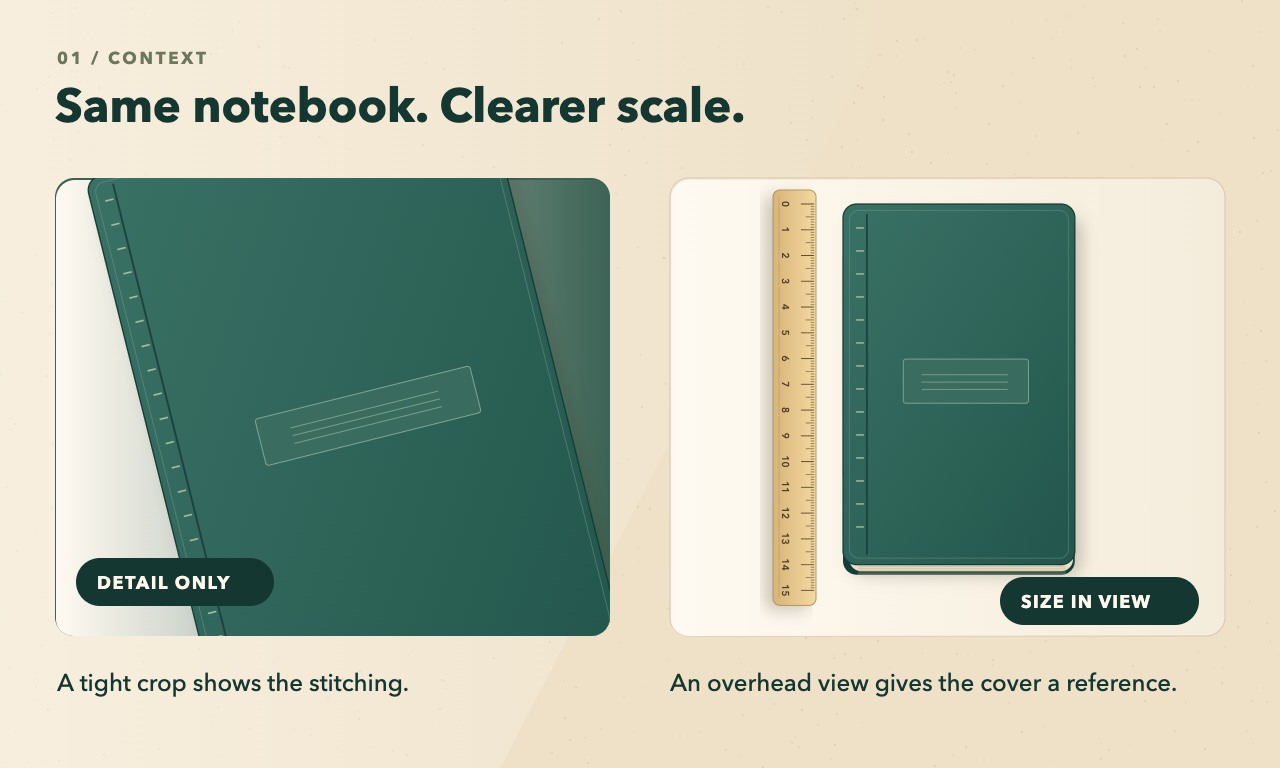
A close-up can make a pocket notebook look big enough for a desk. The stitching is sharp, the cover fills the frame, and a shopper still has to guess whether it fits in a bag pocket. Give them one shot with a scale they can read and one line of dimensions they can keep.
This walkthrough uses an illustrated notebook with example dimensions of 9 × 14 cm. Replace those numbers with measurements from the item you sell.
Measure the item before you set up the camera
Close the notebook and measure its outside width and height on a flat surface. Measure from the ruler’s zero mark. For a cover that sticks out beyond the pages, include the cover. If fit depends on thickness, measure that separately with the notebook closed and without squeezing it. Record the variant as well as the numbers. You want the measurements for the same notebook that will appear on camera.
Write the caption in the same order as your listing. For example, “9 cm wide × 14 cm tall, closed” gives both numbers a direction. If your audience uses inches, use the correctly converted measurements and label the units. Read the caption back against the numbers you wrote down before you start editing.
Film one overhead shot with a scale cue
Lay the notebook on a plain surface and set the phone directly above it, with the back of the phone parallel to the cover. Put the ruler beside the edge you want to show. Align zero with one end and keep the marked scale in the same plane as the face being filmed. If the cover is raised above the table, use a thin, stable shim under the ruler to bring the markings level with it. Keep both ends visible.
Check the live view before recording. The notebook’s opposite edges should look roughly parallel. If one end looks noticeably wider, square up the phone and leave room around the notebook. Use the physical measurement for the caption. The ruler in the shot helps shoppers interpret the picture at a glance.
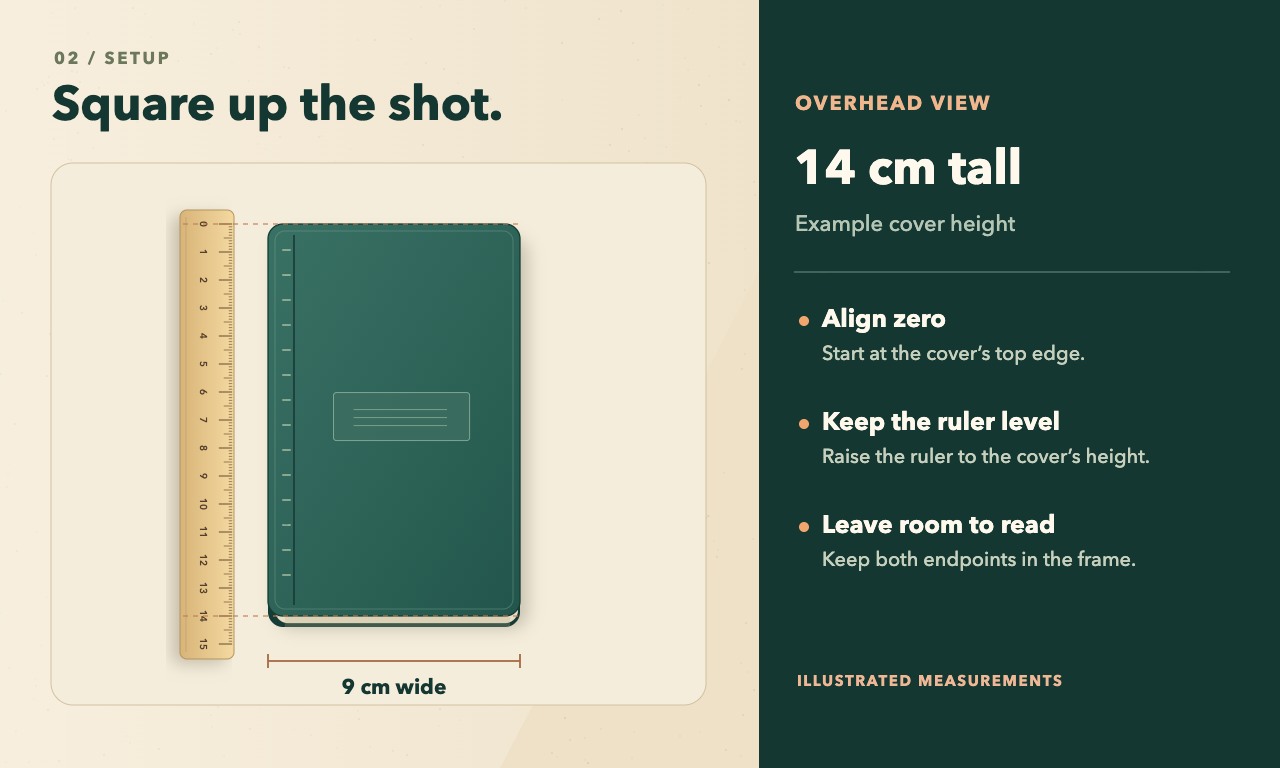
A size cue only helps when people can see it. If the ruler numbers are tiny at phone size, move the camera closer while keeping the full edge and its endpoints in view. If both dimensions are hard to show at once, show one with the ruler and write both in the caption. A clear height cue is more useful than two sets of barely visible markings.
Give the detail shot its own job
Start with the overhead size shot. In your editor, add the measured dimensions in an empty part of the frame. Play it back at normal speed and give yourself enough time to read both numbers. Then cut to the close-up of the cover or stitching. That gives viewers a clear sense of size before you bring the camera in.
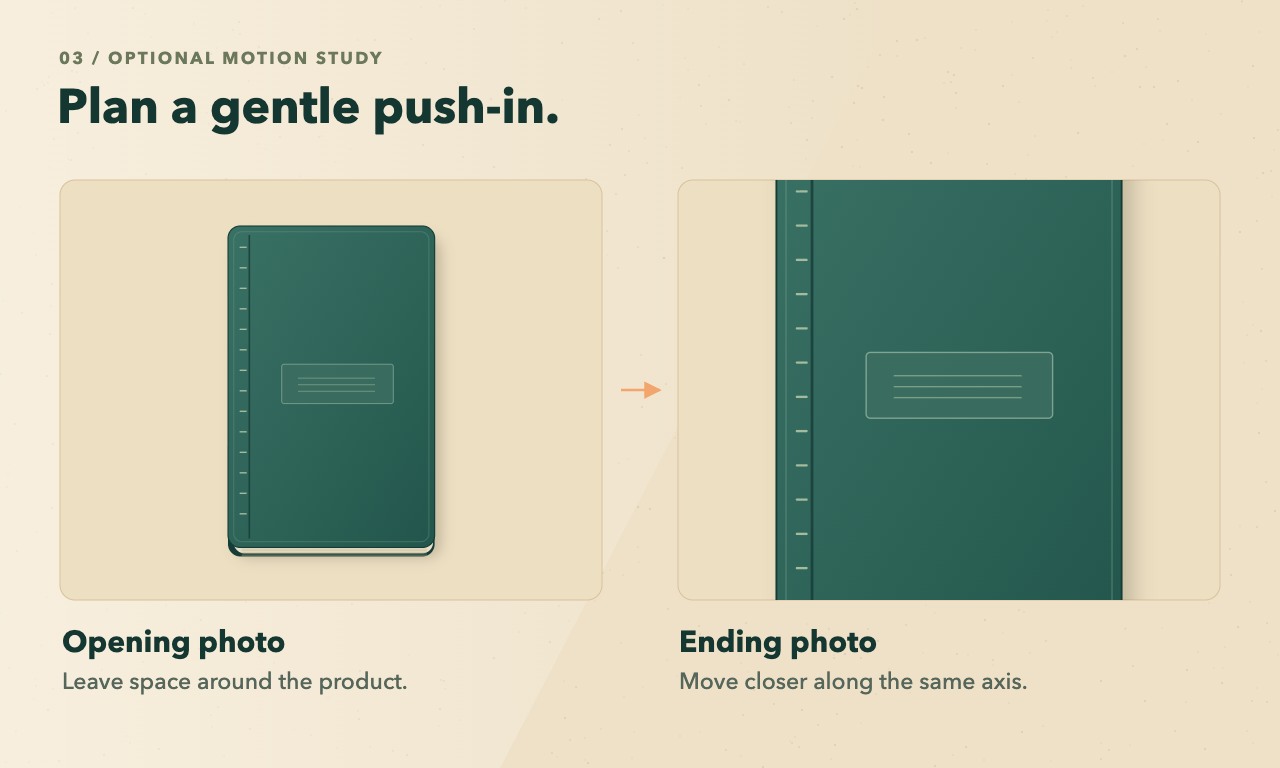
If you want to plan a moving close-up before filming, take two clean reference photos of the same notebook with no ruler or dimension labels. Shoot the wider one first, then make a closer view from the same angle and in the same light. OpenMaker describes a free five-second, 480p clip made from an opening image, an ending image, and a motion prompt. Try “Gently push in toward the center of the notebook cover. Keep the notebook stationary and preserve the stitching and background.” Use the preview to decide where the camera should stop. Keep the real size shot and its measured caption in the final video.
Watch the export the way a shopper would
Open the final export at phone size and check the crop for the place you’ll post it. A square or vertical crop can cut out the ruler’s zero mark, the bottom of the notebook, or part of the caption. A tighter view can also turn a size shot back into a close-up. If a crop loses the scale cue, reframe that shot or make a separate edit for that placement.
Copy this into your publishing checklist.
- [ ] The filmed item matches the variant I measured.
- [ ] The notebook and ruler are visible together, with zero and the far edge in frame.
- [ ] The caption matches my measurements and names the units.
- [ ] The first size shot is easy to read in the final crop at phone size.
- [ ] The close-up follows the real size shot.
After the check, ask one specific question. Could someone decide whether the notebook fits their pocket from the first shot? If the answer depends on the close-up or the product description, give the size shot a little more space on screen.


Comments
Login to Comment