How Enterprise Manufacturers Use Cloud-Native Slicing Software for 3D Printers to Unify Production
18 Jun, 2026
1322 Views 0 Like(s)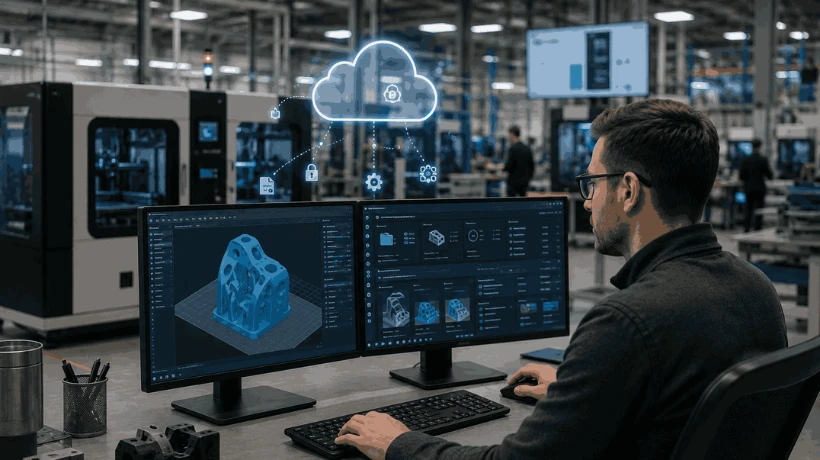
Centralize workflows, secure IP, and scale production with cloud native 3D printer slicer software for enterprise manufacturing teams.
Fragmented production workflows create compounding bottlenecks when engineering teams operate across multiple facilities with inconsistent toolsets. 3D printer slicer software has evolved from a desktop utility into a centralized platform capable of coordinating distributed manufacturing operations at scale.
Cloud connectivity removes the traditional barriers between design, preparation, and execution. This allows organizations to maintain structural consistency across every node in their production environment. For enterprise manufacturers, this shift changes how distributed production environments are coordinated and managed.
Why 3D Printer Slicer Software Matters for Manufacturing
Desktop-based slicing tools consistently struggle to support collaborative engineering environments. This is especially true where multiple teams must access, modify, and approve print files simultaneously. Version conflicts, inconsistent parameter sets, and unsanctioned file edits introduce quality risks that compound over time.
Centralized 3D printer slicer software eliminates these failure modes by maintaining a single source of truth for every model in the production queue. Administrators maintain strict oversight of proprietary designs throughout the development cycle. This is particularly critical for OEMs and regulated industries where intellectual property protection is non-negotiable.
Core Capabilities of Cloud Slicing Software
Cloud-slicing software offloads computationally intensive geometry processing to remote infrastructure, freeing local hardware for other operational tasks. Advanced layer visualization tools allow machine operators to identify potential structural weaknesses. It does so before a single layer is printed, reducing material waste and unplanned downtime.
Granular permission controls restrict unauthorized adjustments to critical parameters such as layer height, infill density, and support structures. These controls are especially valuable in multi-department environments where different user segments are present. This includes education teams, enterprise engineers, and OEM partners, all of whom require tailored access levels without compromising platform integrity.
Step-by-Step 3D Printing Slicing Software Integration
Successful deployment of 3D printing slicing software follows a structured sequence that minimizes disruption to existing operations.
-
Map the existing hardware fleet to confirm compatibility with the target cloud platform before any configuration begins.
-
Configure role-based access controls for each engineering department, assigning permissions that reflect actual operational responsibilities rather than broad defaults.
-
Establish secure network protocols to support remote monitoring and encrypted data transmission across all connected devices.
-
Validate the integration by running a controlled print batch and reviewing output quality against predefined benchmarks before the full-scale rollout.
A common mistake at this stage is skipping the hardware compatibility audit, which frequently surfaces mid-deployment and delays the entire rollout.
Advanced Considerations for 3D Printer Slicer Software
Enterprise deployments require encryption standards that protect sensitive design files from unauthorized access, both in transit and at rest. Procurement teams should evaluate whether a platform's security architecture aligns with their organization's existing compliance frameworks before finalizing any commitment.
Artificial intelligence integrations are increasingly standard in leading platforms, providing automated failure detection during unattended manufacturing runs and reducing the need for continuous manual oversight.
When evaluating these slicer software at the enterprise level, reviewing documented compliance certifications and security frameworks is a must. Scalability across growing printer fleets and user bases should also factor into the selection criteria.
Next Steps for 3D Printer Slicer Software
Procurement teams benefit most from reviewing comprehensive platform documentation before entering any purchasing conversation. This is important since detailed technical guides reveal the depth of integration that marketing materials rarely capture.
Dedicated integration resources help manufacturing facilities adopt new 3D printing slicing software without disrupting active production schedules. Contact 3DPrinterOS to evaluate how cloud native 3D printing software can support secure, scalable manufacturing workflows across distributed teams.



Comments
Login to Comment