Complete Solution to Merge Multiple VCF Files of All vCard Versions Without Data Loss
26 Jun, 2026
1203 Views 0 Like(s)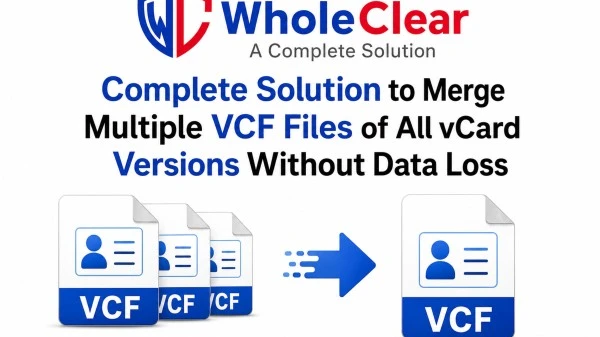
Need to merge multiple VCF files into one vCard without losing contact information? WholeClear Merge vCard Software is the complete solution for merging VCF files. This utility supports vCard 2.1, 3.0, and 4.0 and lets you merge unlimited VCF files while maintaining names, contact phone numbers, email addresses, contact photos, and other details. It works with all versions of Windows and is a fast, secure, and trouble-free way to organize and manage your contacts.
Introduction
VCF (vCard) files are a very popular file format for storing contact information. Supported by a wide range of email clients, smartphones, cloud services, and contact management applications, including Microsoft Outlook, Gmail, iCloud, Android, iPhone, Thunderbird, and many more. Over time, users tend to accumulate hundreds, if not thousands, of individual VCF files when exporting contacts from different devices or email accounts. Managing these individual files is cumbersome, especially if you want to import all contacts to a new device or application.
It's much more efficient to merge all the VCF files into a single vCard file than to import each VCF file separately. The combined VCF file makes contact management easier, reducing manual work and accelerating and organizing the migration of contacts.
WholeClear Merge vCard Software is an advanced Windows-based tool that is specially designed to merge multiple vCard files into a single one without losing any contact information. The software supports **vCard 2.1, vCard 3.0, and vCard 4.0**. It also allows users to merge contacts created from different platforms into a single VCF file. Merging keeps all contact properties, such as name, phone number, email, company, profile photo, notes, address, website, and custom fields. WholeClear offers a safe and fast way to organize your large vCard collections. It is useful for a single user, IT professionals, or a business person.
Why Use Merge vCard Software?
Merge vCard Software is built with advanced technology to give you a smooth and reliable contact merging experience. The software eliminates the need to manually merge contacts and makes sure that you don’t lose any information during the process.
Merge Unlimited VCF Files in One Click
One of the biggest advantages of the software is the option of merging an unlimited number of VCF files at once. Users simply add multiple files or an entire folder of vCards, and the software merges them into a single consolidated VCF file within minutes.
This feature is particularly useful for businesses, organizations, and users managing thousands of contacts from various sources.
Works with All Popular vCard Versions
Working with VCF files created by different applications often results in compatibility problems. WholeClear completely resolves this issue by supporting all major versions of vCard, including:
* 2.1 vCard
* vCard 2.1
* vCard 4.0
Users can easily mix and match different versions without worrying about compatibility or formatting issues.
Keeps Full Contact Information
The software maintains all contact attributes during the merging process. No information is altered, deleted, or overwritten.
It is correctly held that:
* Name of Contact
* Mobile Phone
* Phone No.
* Email
* Company Name
* Classification
* Home and Business Address
* Website address
* Birthdays
* Contact picture
* Notes
* Custom Fields Contact
This makes sure that the final merged VCF file contains exactly the same information as the original files.
Combine Contacts from Different Sources
Merge vCard Software is compatible with vCard files generated by a wide range of applications and devices, offering flexibility in contact migration.
Supported platforms are:
* Outlook (Microsoft)
* Contacts (Gmail)
* Google Workspace
* iPhone Apple
* iCloud
* Android devices
* Thunderbird
* Skype
* BlackBerry
* Contacts of Windows
This enables users to combine contacts from various sources into one well-organized VCF file.
Preview Contacts Before Merge
The software scans all chosen VCF files and displays all the contact details in the preview panel prior to initiating the merge process.
This feature allows users to verify contacts before creating the final merged file and helps to eliminate the possibility of selecting incorrect files.
User-friendly interface
The software has a clean and intuitive interface, which makes the merging process a breeze.
Users just need to:
* Add VCF files or folders
* View loaded contacts.
* Select destination location.
* Press the Merge button.
No technical skills required.
Standalone Windows App
Merge vCard Software works independently without relying on Microsoft Outlook, Windows Contacts, or any third-party applications.
Get started with merging VCF files by installing the software now.
Merge vCard Software Extra Features
* Merge unlimited VCF files into one file.
* Support for vCard 2.1, 3.0 & 4.0
* Bulk merge feature.
* Maintains complete contact information.
* Maintains contact photos.
* Preserves custom fields.
* Supports ANSI and Unicode VCF files.
* Show a preview before merging.
* High-speed processing.
* It is safe to use on read-only.
* No file size restrictions.
* Supports individual and business users.
* Graphical interface for ease of use.
* Preserves original contact quality during the merging process.
Why should you use Merge vCard Software?
Many users manually import VCF files one by one into their email client or smartphone. This method is good for a few contacts, but it becomes a very lengthy process if you have hundreds or thousands of VCF files to deal with.
WholeClear Merge vCard Software automates the entire process and creates a single merged contact file in just minutes. The software cuts down on manual work, saves valuable time, improves the organization of contacts, and reduces the chances of missing out on important contact information.
If you are upgrading your smartphone, moving contacts from one email client to another or backing up all your contacts, the software provides a professional solution that gives accurate results every time.
Windows Compatibility
Merge vCard Software is fully compatible with:
* Windows 11
* Windows 10 or later
* Windows 8.1
* Windows 8
* Windows 7
* Vista Windows
* Windows XP
Support for both 32-bit and 64-bit editions.
Conclusion
Merge vCard Software is the perfect solution for users who want to merge multiple VCF files of all vCard versions without any data loss. It is one of the most reliable contact management utilities available, with its powerful batch processing engine, support for vCard 2.1, 3.0, and 4.0, complete contact information preservation, a standalone working environment, and a user-friendly interface. If you need to merge VCF files, merge vCard files into one, create a single VCF file, save the contact information while merging, or work with all vCard versions, WholeClear provides fast, accurate, and safe results, simplifying your entire contact management process.
FAQs (Frequently Asked Questions)
1. Does vCard software support combining different versions of vCard?
Yes. The software supports vCard 2.1, 3.0, and 4.0, and users can merge different versions into one single VCF file without any kind of compatibility issues.
2. Will my contact details remain the same after merging?
Sure. The software keeps names, phone numbers, email addresses, company information, contact photos, notes, addresses, and every other contact property without any data loss.
3. Can we combine VCF files exported from Outlook, Gmail, Android, and iPhone?
Yes. Supported File Types The tool supports VCF files created by Outlook, Gmail, Google Workspace, Android, iPhone, iCloud, Thunderbird, Skype, BlackBerry, and a lot of other applications.
4. Do I need Microsoft Outlook?
No, WholeClear Merge vCard Software is a stand-alone application; it does not require Outlook or any other third-party software.
5. Can I combine unlimited VCF files?
Yes. With the licensed version, you can merge an unlimited number of VCF files into one consolidated file.
6. Windows OS Supported
The software is compatible with Windows 11, Windows 10, Windows 8.1, Windows 8, Windows 7, Windows Vista, and Windows XP in 32-bit or 64-bit editions.



Comments
Login to Comment