How to Optimize Your Website for Core Web Vitals
06 Feb, 2026
8449 Views 0 Like(s)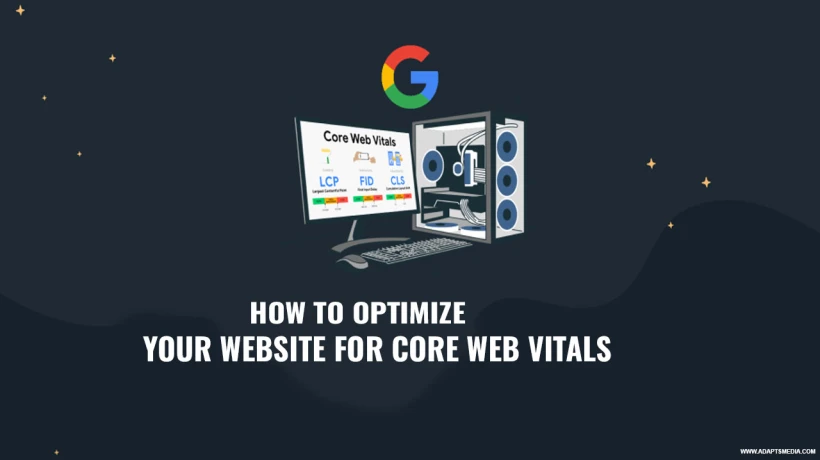
Learn how to improve your website speed, stability, and user experience with simple Core Web Vitals optimization tips. Follow easy steps to boost performance, rankings, and visitor satisfaction.
In today's fast-paced digital landscape, website performance has become a critical ranking factor that can make or break your online success. Studies show that 53% of mobile users abandon websites that take longer than three seconds to load, and Google now uses Core Web Vitals as official ranking signals in its search algorithm. For businesses working with a seo agency dubai, understanding and optimizing these metrics has become essential for maintaining a competitive advantage in search results and delivering exceptional user experiences that convert visitors into customers.
This comprehensive guide will walk you through everything you need to know about Core Web Vitals and how to optimize your website for peak performance. You'll discover what these metrics actually measure, why they matter for your business growth, practical strategies to improve each vital sign, and how proper optimization can transform your website's search rankings and user engagement. Whether you're managing your site independently or partnering with experts, mastering these fundamentals will help you create faster, more responsive web experiences that both users and search engines love.
Understanding Core Web Vitals
Core Web Vitals are a set of specific metrics that Google considers essential for delivering quality user experiences on the web. These metrics focus on three main aspects of user experience: loading performance, interactivity, and visual stability.
The Three Essential Metrics
Largest Contentful Paint (LCP) measures loading performance by tracking how long it takes for the most significant content element to appear on screen. Google recommends an LCP of 2.5 seconds or less for optimal user experience.
First Input Delay (FID) measures interactivity by measuring the time between a user's first interaction with your page and the browser's response to that interaction. A good FID score should be less than 100 milliseconds.
Cumulative Layout Shift (CLS) assesses visual stability by quantifying unexpected layout shifts that occur during page loading. Your CLS score should remain below 0.1 to prevent elements from jumping around as users interact with your content.
Why Core Web Vitals Matter for Your Business
Search engines have evolved beyond just analysing content relevance. They now prioritize websites that provide smooth, fast, and stable user experiences. When your site performs well on Core Web Vitals, you're more likely to rank higher in search results, which directly impacts your visibility and traffic.
Poor Core Web Vitals can significantly harm your business outcomes. Slow-loading pages frustrate visitors, leading to higher bounce rates and lost conversions. Research indicates that improving your LCP from four seconds to one second can increase conversion rates by up to 70%.
Optimizing Largest Contentful Paint (LCP)
Server Response Time Optimization
Your server's response time plays a crucial role in LCP performance. Choose reliable hosting providers with fast server infrastructure and consider upgrading to dedicated or cloud-based hosting solutions if you're experiencing slow response times.
Image Optimization Strategies
Images often constitute the most prominent contentual element on pages. Compress images without sacrificing quality using modern formats like WebP, implement lazy-loading for below-the-fold photos, and use responsive images that serve the appropriate sizes for different devices.
Resource Loading Priorities
Optimise your critical rendering path by identifying and prioritising the resources required for above-the-fold content. Remove render-blocking resources, defer non-critical JavaScript, and inline essential CSS to accelerate initial page rendering.
Improving First Input Delay (FID)
JavaScript Execution Management
Heavy JavaScript execution blocks the main thread, delaying interactivity. Break long tasks into smaller chunks, use web workers for complex operations, and minimise the impact of third-party scripts on your page's responsiveness.
Code Splitting Implementation
Instead of loading all JavaScript upfront, use code splitting to deliver only the code needed for each page. This reduces the amount of JavaScript that needs to be parsed and executed before users can interact with your site.
Third-Party Script Control
Third-party scripts from analytics, advertising, and social media platforms can significantly impact FID. Audit all third-party scripts, remove unnecessary ones, and load essential scripts asynchronously or with the defer attribute.
Reducing Cumulative Layout Shift (CLS)
Reserve Space for Dynamic Content
Always specify width and height attributes for images and video elements so browsers can reserve the appropriate space before assets load. This prevents content from shifting when media files finally appear.
Font Loading Optimization
Web fonts can cause text to shift when they load. Use font-display: swap to show fallback fonts immediately, preload critical fonts, and consider using system fonts for faster rendering without layout shifts.
Ad and Embed Handling
Advertisements and embedded content frequently cause layout shifts. Reserve adequate space for ad slots, avoid inserting dynamic content above existing content, and use placeholder elements with defined dimensions for embeds.
Monitoring and Testing Your Progress
Regular monitoring helps you track improvements and identify new issues before they impact users. Use Google's PageSpeed Insights, Search Console's Core Web Vitals report, and Lighthouse for comprehensive performance analysis.
Real User Monitoring
While lab testing provides controlled insights, real user monitoring captures actual user experiences across different devices, networks, and locations. Implement tools that collect field data to understand how real visitors experience your site.
Continuous Improvement Approach
Optimization isn't a one-time task but an ongoing process. Establish regular performance audits, set up alerts for metric degradation, and create a culture of performance awareness among your development team.
Technical Implementation Best Practices
Working with experienced professionals who understand these technical nuances can accelerate your optimization journey. A seo service in uae with expertise in technical SEO and web performance can help implement these strategies effectively while you focus on your core business operations.
Content Delivery Networks (CDN)
CDNs distribute your content across multiple servers worldwide, reducing latency by serving assets from locations closest to your users. This significantly improves loading times, especially for international audiences.
Browser Caching Strategies
Implement effective caching policies that store static resources in users' browsers, reducing the need to download the duplicate files on repeat visits. This improves performance for returning visitors and reduces server load.
Conclusion
Optimizing your website for Core Web Vitals has become non-negotiable for businesses seeking online success. By focusing on improving LCP, FID, and CLS metrics, you create faster, more responsive experiences that satisfy both users and search engines. These improvements translate directly into better rankings, lower bounce rates, and higher conversion rates, driving business growth.
Ready to transform your website's performance? Partner with experts who understand the technical intricacies of Core Web Vitals optimization and can deliver measurable results for your business growth and online visibility.


Comments
Login to Comment