How QB Cloud Hosting Reduces IT Infrastructure Costs
10 Jun, 2026
1457 Views 0 Like(s)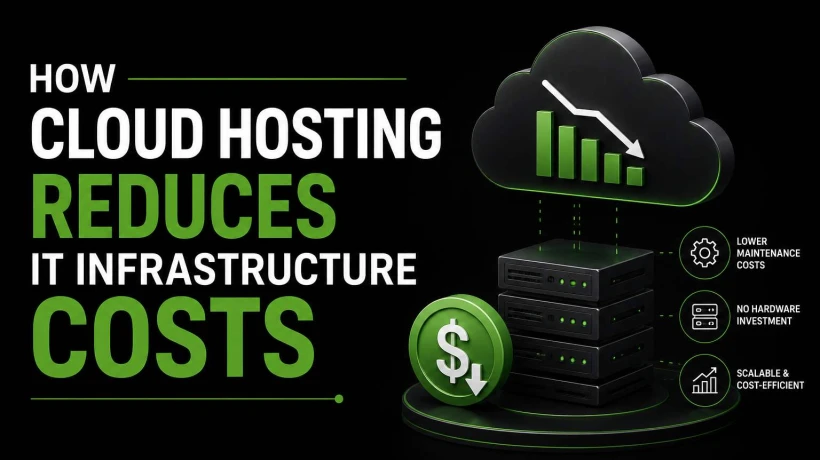
Discover how QB Cloud Hosting cuts IT costs through reduced hardware investments, simplified management, and scalable cloud resources.
Managing accounting software on local computers and in-house servers can be expensive for businesses of all sizes. From purchasing hardware and maintaining servers to handling software updates and security measures, traditional IT infrastructure requires significant investment. As companies look for ways to reduce operational costs while improving efficiency, many are turning to QB cloud hosting as a smarter and more cost-effective solution.
By moving QuickBooks to the cloud, businesses can eliminate many of the expenses associated with maintaining on-premises systems. In addition to cost savings, cloud hosting offers greater flexibility, security, and accessibility. This article explores how QB cloud hosting helps organizations reduce IT infrastructure costs while supporting business growth.
Understanding QB Cloud Hosting
QB cloud hosting refers to hosting QuickBooks software on secure remote servers that users can access through the internet. Instead of installing QuickBooks on a local computer or company server, the application and data are stored in a cloud environment managed by a hosting provider.
This setup allows authorized users to access QuickBooks from virtually anywhere using desktops, laptops, tablets, or mobile devices. The hosting provider handles server maintenance, updates, backups, and security, significantly reducing the burden on internal IT teams.
Eliminates the Need for Expensive Hardware
One of the biggest advantages of cloud hosting is the reduction in hardware costs. Traditional accounting systems often require:
-
Dedicated servers
-
Network equipment
-
Data storage devices
-
Backup systems
-
Power and cooling infrastructure
Purchasing and maintaining this equipment can be costly, especially for small and medium-sized businesses.
With QB cloud hosting, all server infrastructure is managed in professional data centers. Businesses no longer need to invest heavily in physical hardware, helping them save thousands of dollars in upfront and ongoing expenses.
Reduces IT Maintenance Costs
Maintaining on-premises servers requires continuous monitoring, troubleshooting, upgrades, and repairs. Companies often need dedicated IT personnel or external consultants to keep systems running smoothly.
Cloud hosting providers manage:
-
Server monitoring
-
System maintenance
-
Performance optimization
-
Hardware replacement
-
Operating system updates
As a result, businesses can significantly reduce IT support costs and allow their teams to focus on strategic initiatives instead of routine maintenance tasks.
Lowers Software Upgrade Expenses
QuickBooks and related software require regular updates to ensure compatibility, performance, and security. In traditional environments, updating software across multiple systems can be time-consuming and expensive.
A major benefit of QB cloud hosting is that software updates are handled centrally by the hosting provider. Users automatically gain access to the latest versions and features without requiring manual installations or additional infrastructure investments.
This streamlined approach minimizes downtime and reduces the costs associated with software management.
Minimizes Downtime and Productivity Losses
System failures, hardware crashes, and network disruptions can have a significant financial impact on businesses. Downtime not only affects employee productivity but may also lead to delayed financial reporting and customer service issues.
Cloud-hosted QuickBooks environments are typically built with:
-
Redundant infrastructure
-
High-availability servers
-
Disaster recovery systems
-
Automatic failover capabilities
These features help ensure continuous access to business-critical accounting data. By minimizing downtime, QB cloud hosting helps organizations avoid costly interruptions and maintain operational efficiency.
Reduces Data Backup and Recovery Costs
Data loss can result in substantial financial and operational consequences. Traditional backup systems often require dedicated storage devices, backup software, and manual management.
Cloud hosting providers typically offer:
-
Automated backups
-
Multiple backup copies
-
Secure offsite storage
-
Fast data recovery options
This eliminates the need for businesses to purchase and maintain separate backup infrastructure. In the event of accidental deletion, cyberattacks, or hardware failure, data can be restored quickly, reducing recovery costs and business risks.
Supports Remote Work Without Additional Infrastructure
The rise of remote and hybrid work models has created new technology challenges for businesses. Supporting remote employees through traditional infrastructure often requires:
-
VPN configurations
-
Additional hardware
-
Remote desktop solutions
-
Expanded network capacity
With QB cloud hosting, employees can securely access QuickBooks from any location with an internet connection. Since the application is hosted in the cloud, businesses do not need to invest heavily in remote access infrastructure.
This flexibility improves workforce productivity while reducing technology expenditures.
Enhances Security Without High Security Investments
Cybersecurity is a growing concern for businesses managing financial information. Implementing enterprise-grade security in-house can be expensive and complex.
Many cloud hosting providers offer advanced security features such as:
-
Multi-factor authentication
-
Data encryption
-
Intrusion detection systems
-
Firewall protection
-
Continuous security monitoring
These protections are included as part of the hosting service, enabling businesses to benefit from robust security without the significant costs associated with building and maintaining their own security infrastructure.
Scales Resources Based on Business Needs
Business growth often requires additional computing power, storage, and infrastructure. Traditional systems may require expensive hardware upgrades long before capacity is fully utilized.
Cloud hosting provides flexible resource allocation. Businesses can easily increase or decrease resources as requirements change.
This scalability ensures organizations only pay for what they need, helping control costs and avoid unnecessary infrastructure investments.
Improves Collaboration and Operational Efficiency
Modern accounting workflows often involve multiple users working simultaneously. Traditional systems can create collaboration challenges, especially when employees are located in different offices.
Cloud-hosted QuickBooks enables:
-
Real-time collaboration
-
Multi-user access
-
Faster data sharing
-
Centralized financial information
Improved efficiency translates into reduced administrative costs and better overall productivity, contributing further to cost savings.
Predictable Monthly Costs
Traditional IT infrastructure often comes with unexpected expenses such as hardware failures, emergency repairs, and software upgrade costs.
Cloud hosting operates on a predictable subscription model. Businesses pay a fixed monthly fee that typically includes:
-
Hosting services
-
Security management
-
Technical support
-
Backups
-
Maintenance
This predictable pricing makes budgeting easier and helps organizations avoid surprise technology expenses.
Conclusion
Reducing IT infrastructure costs is a priority for businesses seeking greater efficiency and profitability. By eliminating the need for expensive hardware, reducing maintenance requirements, simplifying software management, and supporting secure remote access, QB cloud hosting provides a practical and cost-effective solution for modern accounting operations.
In addition to lowering costs, cloud hosting enhances security, scalability, collaboration, and business continuity. Organizations looking to maximize the value of their QuickBooks investment can benefit significantly from partnering with experienced cloud hosting providers such as Apps4Rent, which delivers secure, reliable, and scalable QuickBooks hosting solutions tailored to evolving business needs.



Comments
Login to Comment