Email Privacy 101: How to Protect Your Personal Information
03 Nov, 2026
14 Views 0 Like(s)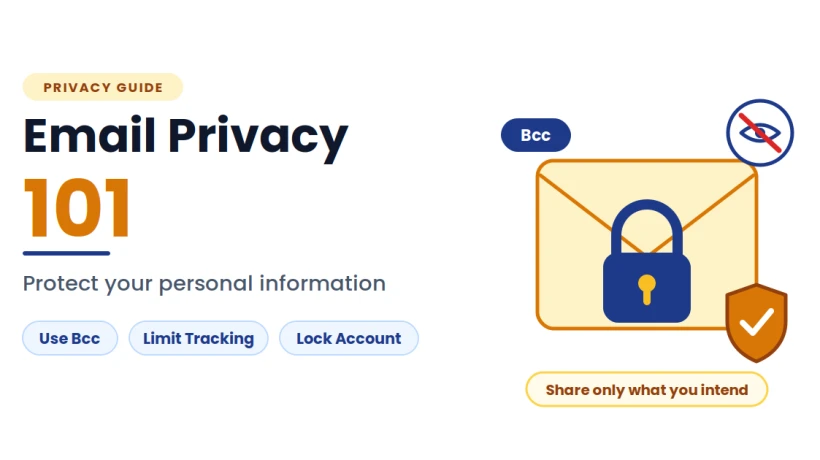
Protect your inbox privacy: use Bcc for large groups, limit email tracking, separate your addresses, share only what’s needed, secure your account, and keep an
Your inbox knows a surprising amount about you. It holds your bank notices, medical appointments, travel plans, purchase history and years of private conversations. It also tells other people things you may not realize: when you opened a message, roughly where you were and which links you clicked.
Privacy in email is not about paranoia. It is about making sensible choices so that you share what you intend to share and nothing more. This guide explains where email privacy slips happen and offers simple, practical steps to protect yourself.
Why Email Privacy Deserves Attention
Email was designed for convenience, not secrecy. Messages often pass through several servers on their way to the recipient, and copies may be stored in multiple places. Beyond that, the habits of senders and recipients create their own risks: addresses exposed to strangers, personal details shared with the wrong person and accounts left open to anyone who guesses a password.
The good news is that most privacy problems come from small, fixable habits rather than complicated technical flaws.
Know What Your Email Reveals
Understanding the quiet ways information leaks makes it easier to stop.
Your Address Itself
Your email address is often the key to your online identity. Companies use it to link your activity across sites, and if it appears on a long recipient list, anyone on that list can see it.
Tracking in Marketing Emails
Many marketing messages contain tiny invisible images, often called tracking pixels. When the message loads them, the sender can learn that you opened it, when you opened it and sometimes roughly where and on what device.
Message Content and Metadata
Even when the body of a message is private, details such as sender, recipient, subject line and timing can reveal a lot. Subject lines in particular are visible in many places, such as notification previews on a locked phone.
Attachments and Hidden Data
Documents can carry hidden comments, tracked changes and author information. A file sent casually may reveal more than you intended.
Step 1: Be Careful With the Recipient Fields
The most common privacy slip is also one of the easiest to prevent. When you write to many people who do not know each other, placing everyone in the To or Cc field shows every address to every recipient.
Use Bcc for large groups, such as customers, event guests, neighbors or members of a club. Reserve To and Cc for people who share the same conversation. Before you press send, take three seconds to read the recipient fields.
If you regularly write to the same circle, building a saved list reduces the temptation to paste addresses into the wrong field. A guide on how to create a group in Gmail shows how to bundle contacts under one label, so a single name replaces a long list of addresses and the chance of exposing or misaddressing them drops sharply.
Step 2: Limit Tracking
You cannot stop every sender from trying to track opens, but you can reduce how much they learn.
-
Turn off automatic image loading: Many email apps let you ask before displaying images, which blocks most tracking pixels.
-
Be selective with links: Marketing links often include identifiers. Visit a website directly instead of clicking when you can.
-
Unsubscribe carefully: Use unsubscribe links only for senders you recognize. For unknown or suspicious messages, mark them as spam instead of clicking anything inside.
-
Review privacy settings: Check your email service’s options for images, smart features and data sharing, and choose what you are comfortable with.
Step 3: Use Separate Addresses for Different Purposes
Giving your main address to every website increases both spam and exposure. A better approach is to use different addresses for different jobs.
-
A primary address: Keep it for banking, official documents and people you trust.
-
A shopping and sign-up address: Use it for newsletters, receipts and anything likely to generate marketing.
-
A throwaway address: Use it for one-time downloads and sites you do not trust.
Some email services also let you create variations of your address or aliases, which make it easy to see who shared or sold your details. If one starts receiving junk, you can stop using it without disrupting the rest of your life.
Step 4: Think Before You Share Personal Details
Email feels private, but it is not always the right place for the most sensitive information. Think twice before sending identity numbers, full financial details, passwords or detailed medical information.
-
Share only what is necessary: Ask whether the recipient truly needs the detail.
-
Use a secure channel when available: Official portals and secure sharing services often offer better protection than a normal message.
-
Send passwords separately: If you must protect a file with a password, share the password through a different channel, such as a phone call.
-
Remove hidden data from documents: Check comments, tracked changes and properties before attaching a file.
-
Watch the subject line: Avoid putting sensitive details in a place that appears in previews.
Step 5: Lock Down Your Account
The best privacy habits fall apart if someone else can open your inbox. Account security is the foundation.
-
Use a strong, unique password: A password manager makes this easy.
-
Turn on two-step verification: It stops most break-ins even when a password is stolen.
-
Review connected apps and devices: Remove anything you no longer use or do not recognize.
-
Check recent activity: Most email services show recent logins, which helps you spot something unusual.
-
Keep recovery details up to date: A current backup phone number and recovery address prevent lockouts.
-
Log out on shared devices: Never leave your inbox open on a computer others use.
Step 6: Spot Scams That Target Your Privacy
Many scams are designed to extract personal information rather than money directly. They imitate banks, delivery services, employers and government agencies, and they depend on speed and pressure.
-
Be wary of messages that demand urgent action.
-
Check the sender’s real address, not just the display name.
-
Avoid clicking links in unexpected messages. Visit the official website directly instead.
-
Never share passwords, verification codes or full identification details by email.
-
Confirm unusual requests through another channel, such as a phone call.
If something feels wrong, pause. A few minutes of checking is far cheaper than recovering stolen information.
Step 7: Keep Control of Your Own Data
Privacy is also about having a safe and reliable copy of your own information. Accounts can be hacked, locked or suspended, and messages can disappear through accidental deletion. When that happens, you lose access to receipts, records and personal correspondence, and you may not be able to prove what was said.
An independent copy keeps your data in your own hands. A solution such as the SysTools Gmail Email Backup Tool can save your emails and related account data offline, so your important information remains available even if something goes wrong with the original account. It also helps when you want to clear old messages from your inbox without losing records you may need later.
A few habits make any backup routine more dependable:
-
Back up on a schedule: Regular backups beat occasional good intentions.
-
Include attachments and contacts: The files and the people matter as much as the text.
-
Protect the copy itself: Store it somewhere secure, since it contains the same private information as your inbox.
-
Test your copy: Open a few saved items to confirm they work.
Step 8: Clean Up Old Data
Information you no longer need is information that can be exposed. Old accounts, forgotten newsletters and years of unneeded messages all add to your risk.
-
Delete old messages with sensitive details once you have saved what you need elsewhere.
-
Unsubscribe from services you no longer use.
-
Close accounts you no longer need after saving anything important.
-
Review what you have shared with apps and websites, and remove access you no longer want to give.
Less data in your account means less to lose if something goes wrong.
A Simple Privacy Routine
Good privacy comes from small, regular habits:
-
Daily: Check recipient fields before sending and be cautious with unexpected links and attachments.
-
Weekly: Delete or archive messages you no longer need.
-
Monthly: Review your saved contact groups and confirm your latest backup ran properly.
-
Quarterly: Update passwords, check connected apps and devices and review your account activity.
Common Privacy Mistakes to Avoid
-
Putting large groups in To or Cc instead of Bcc
-
Loading images and clicking links in unfamiliar marketing emails
-
Using one address for everything
-
Sending sensitive details in the body of a message
-
Leaving old accounts and connected apps active
-
Relying on one online account with no separate copy of its contents
Final Thoughts
Email privacy does not require technical expertise. It requires awareness and a handful of steady habits: protect the recipient fields, limit tracking, separate your addresses, share only what is necessary, secure your account, stay alert to scams, keep your own copy of what matters and clear out what you no longer need.
You do not have to do everything today. Start with one step, such as using Bcc for large groups or turning on two-step verification, and build from there. Each small change makes your inbox a little more private and a lot more under your control.


Comments
Login to Comment